



 Talk to sales
 Log in




Reporting is how you build relationships, educate your clients and establish a reputation for transparency. But for many, reporting has become a data janitor job rather than a strategic partnership.
Clients expect strategic insights that help them make better decisions about their spend. If you're just delivering snapshots of the past, you're likely having trouble answering the hard questions about what to do next.
According to Funnel’s latest research, a large majority (80%+) of marketers surveyed say they don't have a clear signal to understand what's working. And if your team spends a huge chunk of their time manually copying and pasting data into spreadsheets like many marketing teams do, they don't have the capacity to find the story behind the numbers.
Automating your reporting process can claw back much-needed strategy time. You can move beyond pretty dashboards and create hypothesis engines, tools that don't just show what happened, but tell you exactly what to do next.
In this guide, we explore the best automated reporting tools for marketing agencies and show you how a marketing intelligence platform can turn your data into a competitive advantage.
Is manual reporting failing your agency?
According to our 2026 Marketing Intelligence Report, marketers grade their agency's performance as a B- (81%). For an industry with more data and technology at its disposal than ever, this just-above-average score shows that something isn't working. Here are the four biggest reasons manual reporting hurts performance.
Clients expect reporting that they can act on
Manual reports explain what happened, but high-ticket clients want reports that tell them where to spend their next dollar. With automated reporting, you stop spending time on "the what" and start focusing on "the why." You can set your reporting tool to measure outcomes against the client's own KPIs to provide concrete recommendations that move the needle.
More data, but not more insight
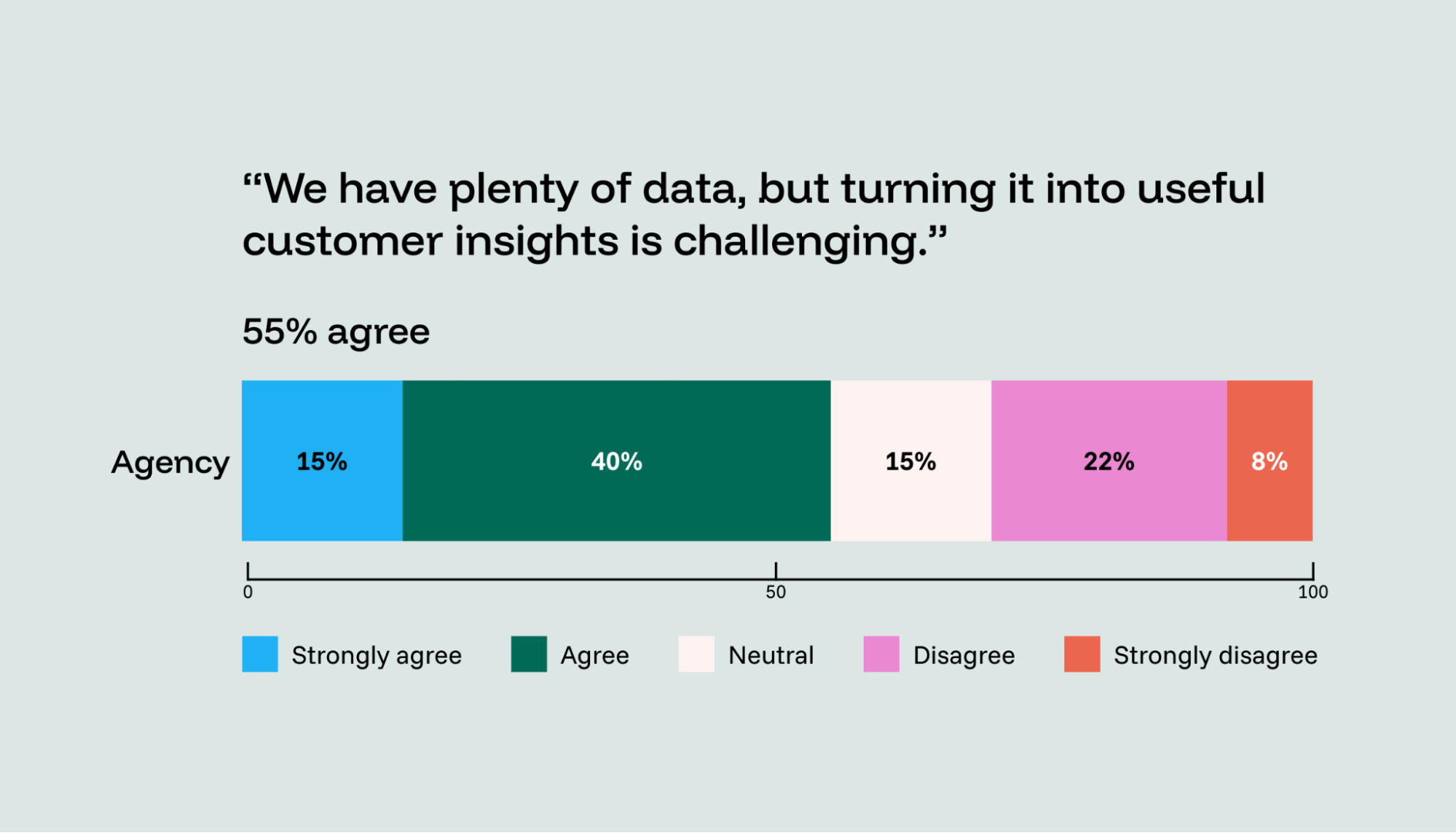
Our research shows that 55% of agency marketers have mountains of data but struggle to turn it into useful insights, leading to a noise problem that makes it difficult to prove the exact impact of each channel.
Automated reporting tools can act as a central marketing data hub. The best options clean and normalize data automatically, making it more usable for analysis.
Time lost to reporting
Currently, only 14% of agency marketers have extensively automated their data integration and report generation. The rest are likely losing hundreds of hours every month to manual formatting. Automation lets you build marketing dashboards that update with fresh data. You can move away from ad hoc reporting requests and toward secure sharing environments that give clients a professional, easy self-service option.
There’s no question that manual reporting holds marketing agencies back whereas automated tools free up time and enable scaling. But, how do you know you’re choosing the best option for your agency’s needs?
What to look for in an automated reporting tool for your agency
A good automated reporting tool should help you grow your agency without adding more manual workarounds or extra tools. Here's what a vendor should have:
A reliable data foundation
Make sure it covers all of the channels you report on, even the smaller ones. Check what happens when a connector breaks or an API changes. Will you lose historical data, or just miss an update until it recovers?
Also, think ahead. A stable, well-governed data foundation enables advanced measurement (such as incrementality testing or marketing mix modeling) and AI-driven workflows. If the underlying data is inconsistent, anything built on top of it will learn from bad inputs and produce unreliable outputs.
Standardization and governance
You want KPI definitions you can reuse across clients and alignment across teams. Someone will lose time reconciling numbers if “revenue” is defined one way in a dashboard and another way in a spreadsheet. Harmonized data also enables seamless collaboration between analytics and marketing.
Scalability
You don't want to lose time rebuilding the same reports for every client, so make sure you have templates and reusable setup features. The real test is if the reporting tool still works when you scale from five clients to 25. No-code usability also helps account teams and analysts tweak reports without having to burden engineering.
Client delivery
Think about how you want stakeholders to receive reports. PDFs are fine for some, but large teams need a single place to view dashboards, with access controlled by role (marketing lead vs. finance).
So, which marketing reporting platforms tick all the boxes?
7 of the best automated client reporting tools for 2026
Here are the top seven automated reporting tools to help your agency reclaim its strategic edge in 2026.
|
Tool |
Best for |
Reporting automation strengths |
Factors to consider |
|
Funnel |
Scaling agencies |
Automated collection and normalization, templates, client-ready sharing |
Fast onboarding, no-code for marketers |
|
Adverity |
Warehouse-first teams |
Flexible ingestion into warehouses for BI reporting |
More technical setup and ongoing ownership |
|
AgencyAnalytics |
Boutique agencies |
White-labeled reports, scheduling, client dashboards |
Can hit limits with complex transformations |
|
DashThis |
Template-driven reporting |
Cloning templates across clients, quick client deliverables |
Less suited to messy data and advanced measurement |
|
NinjaCat |
Ops-heavy agencies |
Automated reporting and monitoring/alerts |
Validate account scaling and error visibility |
|
Tableau |
Analyst-led teams |
Powerful visualization once data is clean and modeled |
Needs a reliable upstream data layer |
|
Geckoboard |
KPI monitoring |
Real-time KPI dashboards and visibility |
Not built for deep multi-source governance |
Marketing intelligence (built for marketers)
1. Funnel
Best for: Scaling agencies that need reporting to drive decisions rather than just document past results. Funnel is a no-code marketing intelligence platform that automates the reporting lifecycle: collecting, standardizing and sharing marketing data.
How it helps agencies: Funnel helps teams move from retrospective reporting to forward-looking client conversations. With unified performance and budget data, agencies can monitor pacing, catch anomalies earlier and turn dashboards into hypothesis engines so they can walk into meetings confidently with insights on what changed, why and what to do next.
Agencies can use built-in dashboards and templates or send clean data to Looker Studio, Power BI and Tableau. Portals provide secure, customizable dashboard suites that let clients self-serve in a professional environment, replacing links and PDFs.
The trade-off: Funnel is optimized for marketing data, so the connectors, transformations and governance are designed around how marketing teams work.
Warehouse-first setups (centralize and standardize data before reporting)
2. Adverity
Best for: Warehouse-centric agencies that need flexibility with collecting and modeling data.
How it helps agencies: Adverity is a strong fit if you're building a warehouse-first setup and want to feed tools like Tableau or custom environments. It’s great for teams that care more about controlling the data layer than using a marketer-friendly reporting workflow out of the box.
The trade-off: Setup often takes months and requires SQL expertise, which creates a reliance on data engineers. Its unpredictable pricing makes it difficult for agencies to forecast costs as they scale across multiple client accounts.
Dashboard-first reporting platforms (fast client deliverables)
3. AgencyAnalytics
Best for: Boutique agencies that want an all-in-one white-labeled dashboard.
How it helps agencies: It offers an intuitive interface and automated report scheduling, making it easy to send branded SEO and PPC summaries.
The trade-off: You may hit limits and end up layering in additional tooling if your reports depend on deeper data modeling, long-term historical storage or complex transformations.
4. DashThis
Best for: Teams that want templated, white-labeled dashboards to streamline weekly/monthly reporting.
How it helps agencies: The cloning feature lets you replicate a report template across dozens of clients instantly. The tool also offers extensive templates and white-labeling.
The trade-off: It lacks sophisticated data integration functionality, so if your data is messy or more complex, you’ll likely have to clean it manually in spreadsheets first. It also requires significant manual integrations.
5. NinjaCat
Best for: Agencies that want reporting plus additional marketing operations/analytics capabilities in one platform.
How it helps agencies: It uses AI agents to monitor client budgets, alerting you if an account is trending toward overspend.
The trade-off: It has low account capacity limits on standard plans and lacks proactive error notifications, which can lead to inaccurate data creeping into visualizations.
BI and visualization tools (powerful analysis, but not a full reporting system)
6. Tableau
Best for: Agencies with a stable data foundation that need flexible analysis and visualization for different stakeholders.
How it helps agencies: Excellent for exploring data and building advanced views. It supports multiple report formats once inputs are clean and consistent.
The trade-off: It is not a standalone marketing tool. It requires a pre-cleaned data source to work. Without a dedicated analyst, it often becomes a data silo that’s too complex for account managers.
Real-time KPI dashboards (visibility and monitoring)
7. Geckoboard
Best for: Geckoboard is designed for real-time dashboards.
How it helps agencies: It keeps KPIs front-and-center, ensuring the team stays aware of live campaign performance.
The trade-off: Real-time dashboards are great for monitoring, but they’re typically not designed for deeper multi-source governance, complex transformations or long-form client reporting narratives.
Funnel's approach to automated reporting
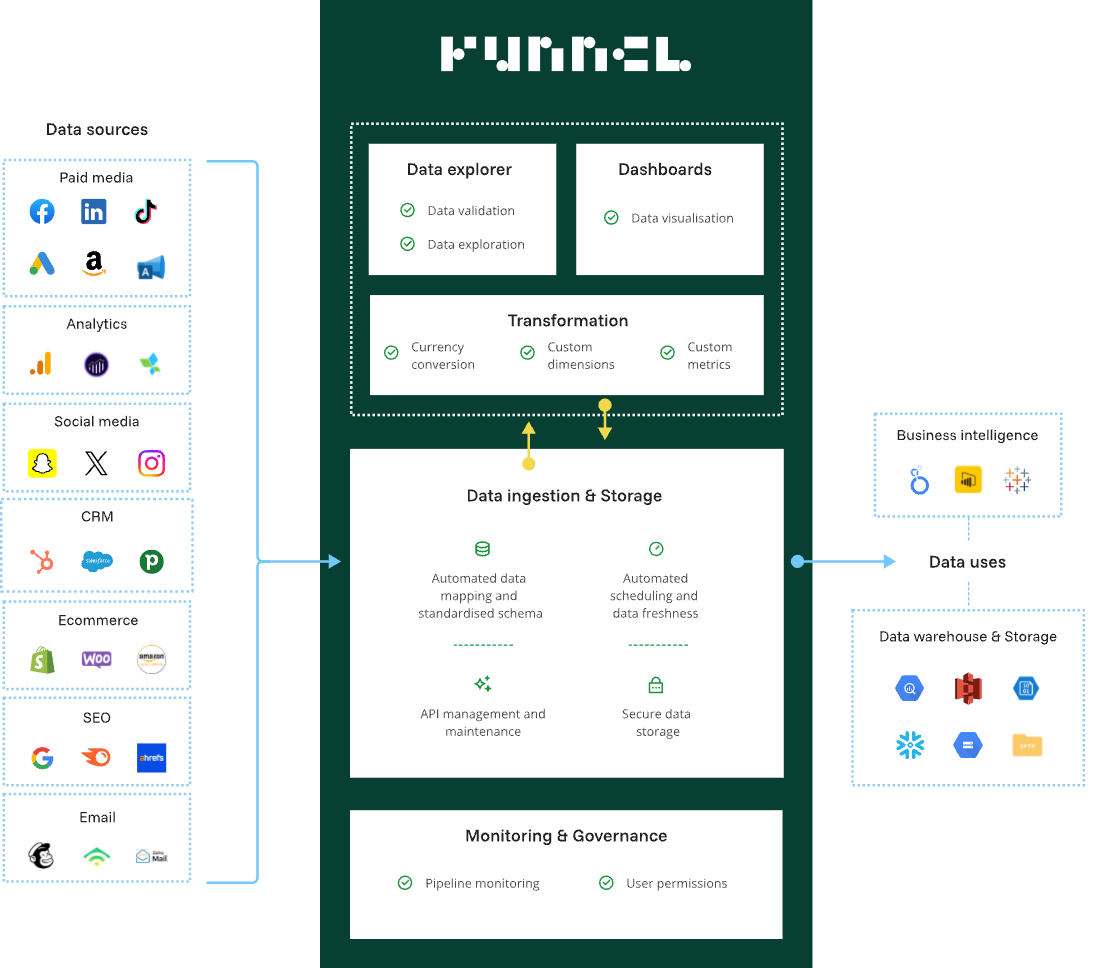
Automating your reporting can only work if the data behind it is stable. Funnel's Data Hub gives agencies that foundation by collecting marketing data from your channels, standardizing it in a shared model and keeping definitions consistent as you scale across clients.
It's no-code and built for marketing workflows, so account teams and data teams can collaborate without turning every change into an engineering ticket.
With trustworthy numbers, reporting becomes something you can actually run the agency on. Instead of spending your week reconciling discrepancies, you can walk into client conversations with clarity on what changed, what’s driving it and what to do next.
Over time, a reliable data foundation also makes it easier to run structured experiments and improve performance with confidence because you’re working from a single, consistent source of truth.
Automated data collection
Funnel integrates with over 600 marketing tools and channels, so you no longer have to copy-paste into Excel, and your reporting stays consistent even when team members change.
Setting up these connections doesn't require technical expertise; simply connect your advertising accounts, analytics tools and CRM systems.
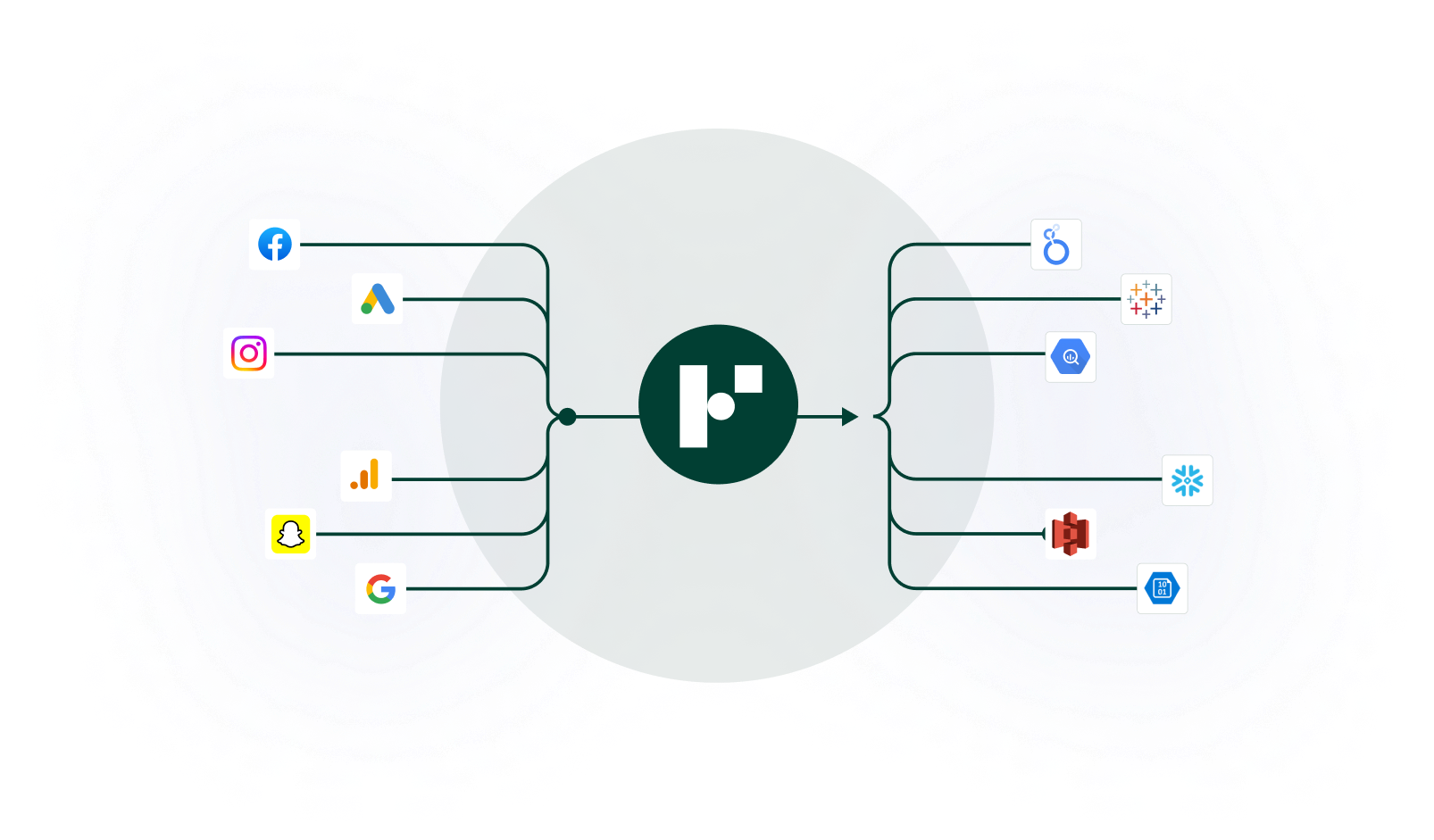
When platforms update their systems or add new metrics, Funnel automatically adapts, so reports won't suddenly break overnight.
Automated data normalization
Once the data is in, Funnel converts data into matching formats, keeps everything up to date and turns scattered information into clean, analysis-ready data.
From there, your team can build their own custom metrics. You can set up KPIs once and know they'll be calculated consistently across every client account, even for complex metrics. Meanwhile, the system monitors your data quality and flags any unusual patterns, while preserving historical data.
Budget and KPI tracking
Making sure you don't overspend your clients' budgets while still hitting targets is part of agency life. Funnel lets you keep your target, budget and spend data all in one place, so budget and performance tracking is significantly easier. Visualization tools let you compare cost versus budget or performance, too.
Performance monitoring
Keeping all of your performance data under one roof makes it easy to create roll-up reports for internal tracking and benchmark clients' data against each other. Teams can proactively respond to trends in their data and leverage our scalable solution to manage marketing data across multiple accounts.
Client-ready reporting
When data is clean, it flows into the dashboards you've built with drag-and-drop elements that don't require technical expertise. The dashboards update daily, so you'll always have fresh numbers ready for client meetings. We provide dashboard templates so you can quickly set up new client reports on the fly.
You can even share reports in Portals, which gives each client a single, secure place to access their reporting. Instead of sharing a patchwork of dashboard links, PDFs and recurring exports, you can package the right views into one organized dashboard suite. It's a better client experience, and it reduces the admin work involved in managing reporting access across stakeholders.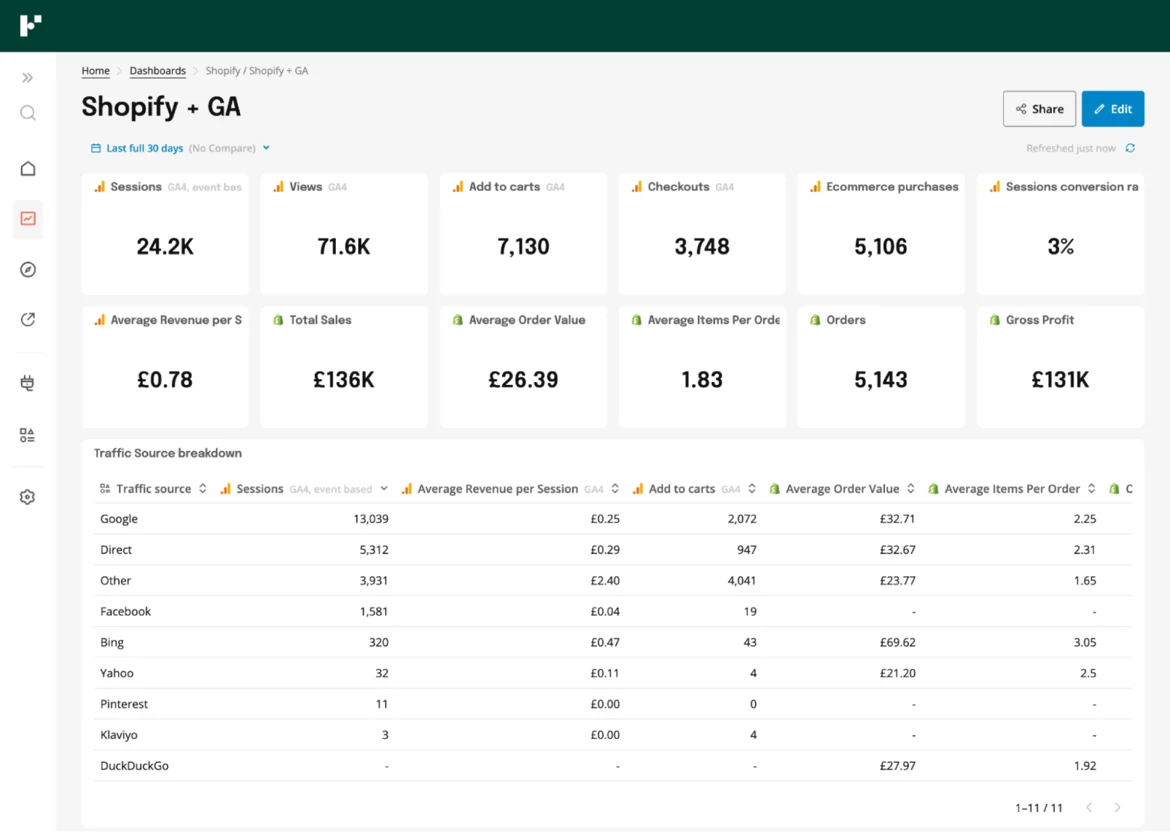
Advanced analytics foundation
The real power of having all your marketing data cleaned and centralized is that it opens up sophisticated analysis options. With Funnel's data foundation, agencies with data science expertise can implement more complex analytical approaches, such as statistical analysis, to help you prove your value with greater rigor.
You'll also be able to incorporate multi-touch attribution (MTA) insights and incrementality tests, which fill in the user and campaign-level gaps MMM leaves behind.
Export and delivery capabilities
We've built direct connections with the analytics tools agencies already use: Looker Studio, PowerBI and Tableau. If these are your visualization tools of choice, you can automatically pull in clean Funnel data.
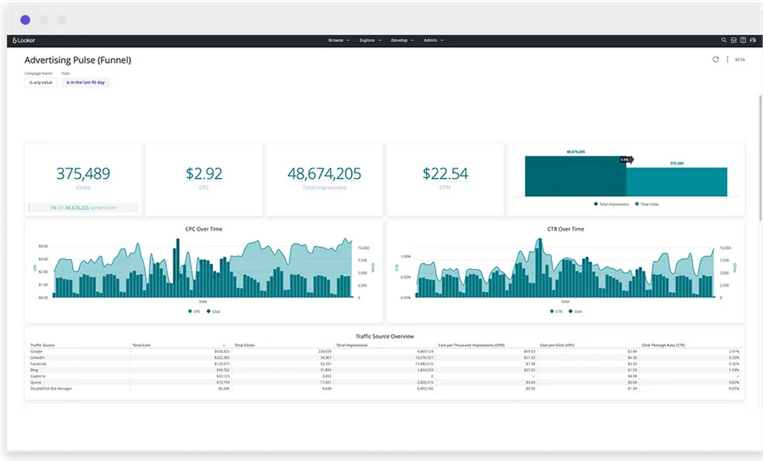
Our automated data warehouse exports keep historical records flowing on schedule. We've also made sharing insights flexible with spreadsheet exports and interactive dashboards that look great on any device.
Security and governance
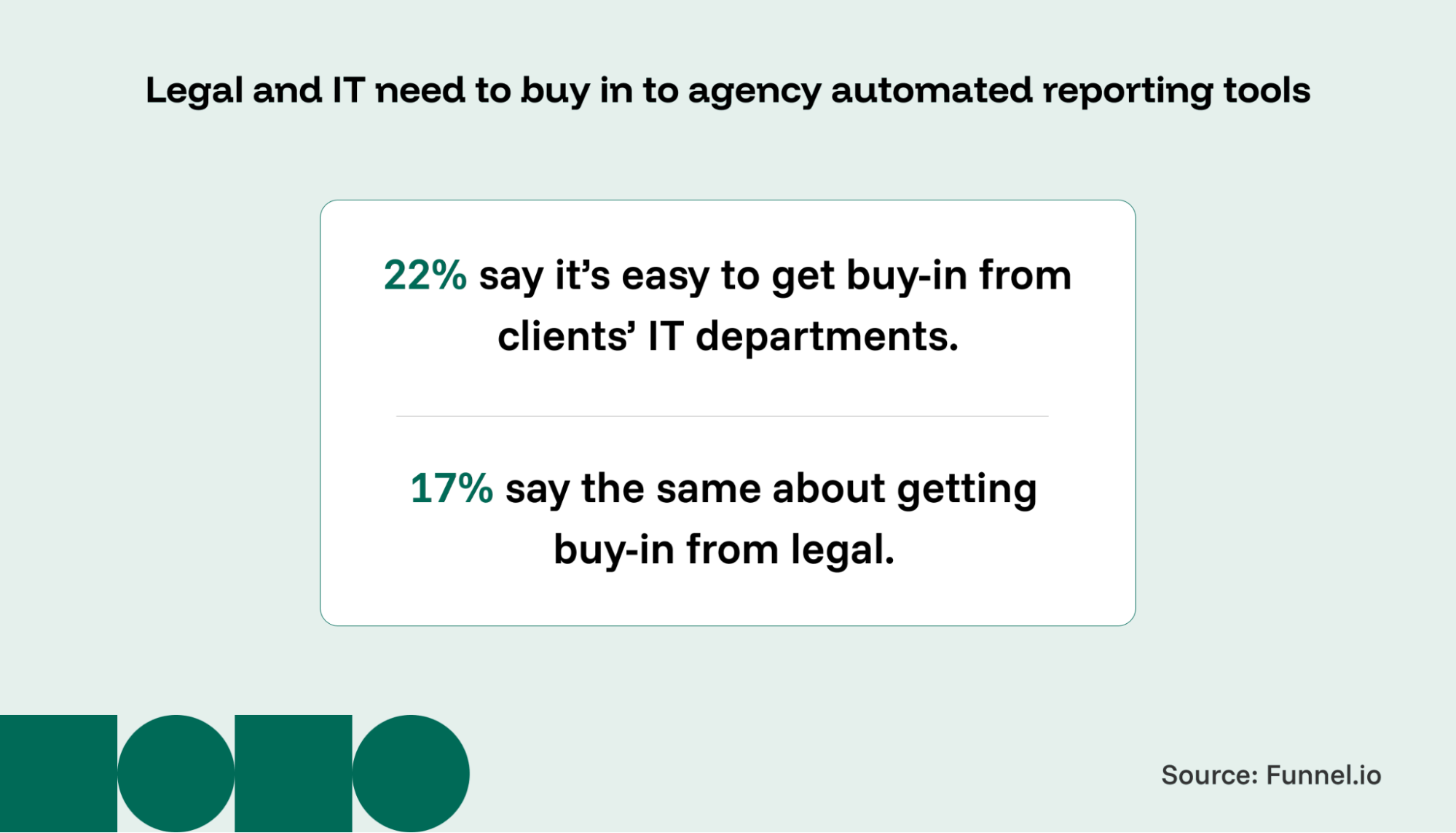
Data security can create friction between clients and agencies. Only 22% of agencies find it easy to get IT buy-in, and 17% report smooth legal approvals. To address these challenges, we've built enterprise-grade security features.
Funnels granular permission controls let you manage access by team and role while protecting client confidentiality. You can safely set up client self-service without compromising data integrity. Lastly, comprehensive audit logging tracks all system activities and user actions, supporting compliance requirements and maintaining clear records.
We’ve kept Funnel intentionally no-code and workflow-first, so reporting stays fast and scalable as you add clients and complexity. For teams that want deep custom modeling, Funnel still plugs into BI and warehouse setups, but the day-to-day reporting work stays simple and reliable.
How to implement automated reporting tools with clients
Once you've chosen your reporting software, implementation becomes the next challenge. The foundation of any successful rollout starts with data centralization: connecting your tool to the right data sources and standardizing client reporting processes wherever possible.
1. Assess your agency's reporting needs
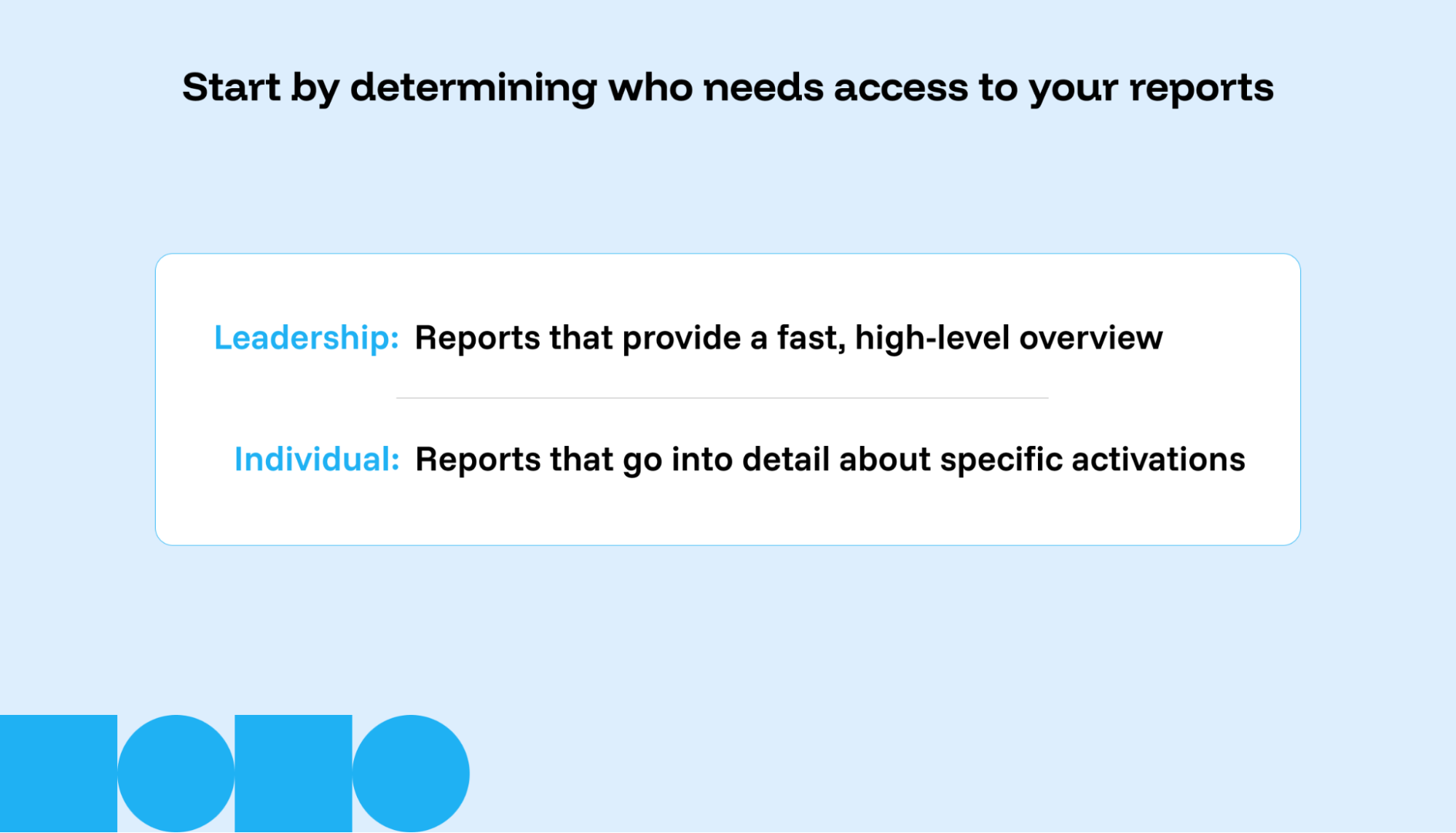
The first step is to examine your reporting requirements closely. Many accounts require reporting that spans multiple departments per client, and each audience has distinct needs.
Senior leadership typically wants quick, high-level overviews, while individual contributors examine channel and campaign performance metrics in depth.
You'll also need to tackle governance requirements and data restrictions head-on. Some clients operate under strict legal requirements about data storage and protection.
Take time to map out which client stakeholders are responsible for specific data. By the end of this assessment, you should have a clear picture of governance requirements, regular dashboard needs and stakeholder distribution lists.
2. Organize your data
Identify which transformations will be needed across all clients, like standardizing budget currencies or aligning impression definitions between ad platforms.
The next step is planning how clients will interact with their data. Data visualization expert Nick Desbarats makes a compelling case for connected dashboard ecosystems. This approach lets clients drill down into detailed metrics or zoom out for higher-level views without cramming everything onto one screen.
3. Build effective dashboards
Building dashboards enables you to balance high-level insights with detailed data analysis. While your dashboards might need to appeal to different audiences, each visualization should serve a clear purpose or target audience.
Keep the design clean and focused. Avoid distracting colors or unnecessary elements that might muddy the core message.
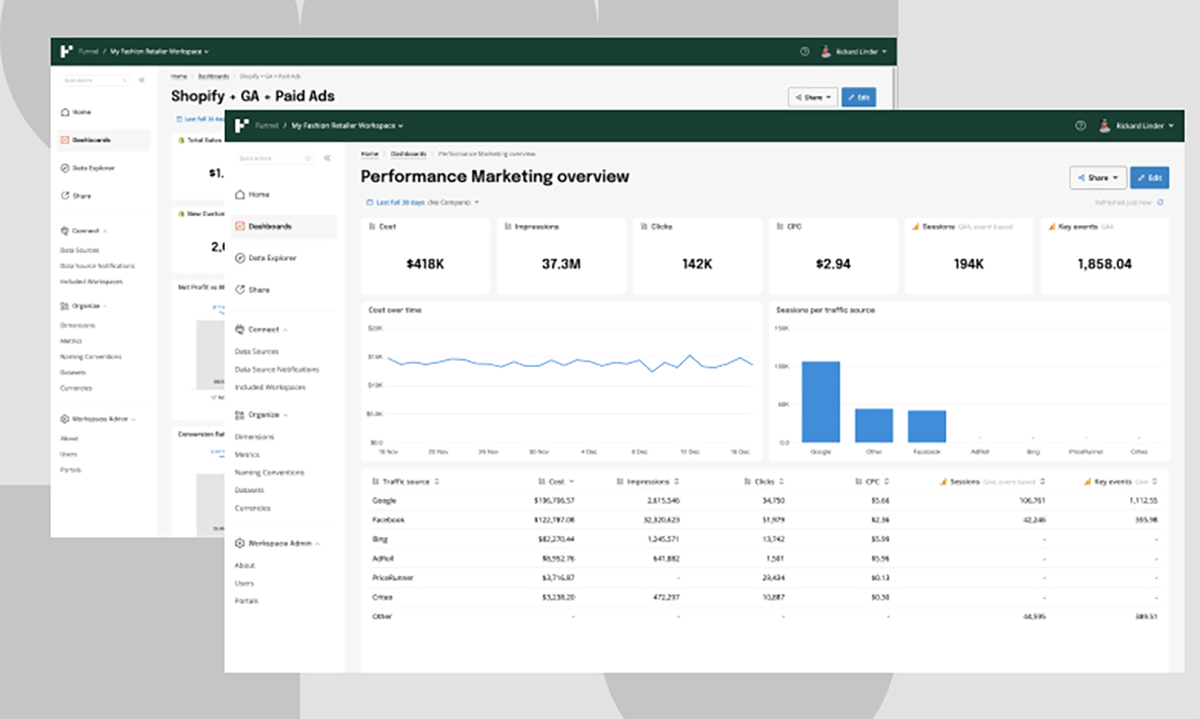
Look beyond client-facing dashboards to spot internal opportunities. You might want to aggregate data across clients to build industry benchmarks or set up automated performance alerts that flag declining metrics before clients notice them.
4. Communicate new reporting to clients
Rolling out new dashboards requires thoughtful client education. Focus on explaining your measurement approach. Walk them through how to use the tools and dashboards you've built.
Be upfront about any limitations, but frame them within the context of what the dashboard accomplishes. For instance, if a client wants to compare a single campaign's performance against channel metrics on an ROI dashboard, explain why this might skew the analysis and suggest better alternatives.
Make metric definitions easily accessible, especially as clients familiarize themselves with new reporting tools. This will help prevent confusion and build confidence in the data they see.
5. Scale your reporting process
As you onboard more clients, data management becomes more complex. Build internal knowledge-sharing systems so account managers can learn from each other's most effective techniques.
You should also maintain flexibility in your reporting structure. Client needs evolve, and your reporting system should be able to adapt.
How to tell if reporting automation is working
You should see improvements in three areas: reliability, client confidence and time saved.
First, track how many sources you’ve connected and if there has been a reduction in errors. The goal is to have fewer surprises and faster detection.
Next, look at adoption and trust. Are clients using the dashboards, referencing them in meetings and asking better questions? A good sign is when your team can confidently answer clients' questions about where to allocate future budget and the potential outcomes.
Finally, measure efficiency: how many hours did your team spend building reports, fixing discrepancies and last-minute exports before client calls? Over time, reporting automation should reduce manual support work and let you manage more clients per team member without adding more reporting chaos.
3 automated reporting agency success stories
Let's dig into how three major agencies transformed their operations through automated reporting.
1. Publicis Sweden
At Publicis Sweden, the team was drowning in data from over 3,000 sources — all of which required manual processing.
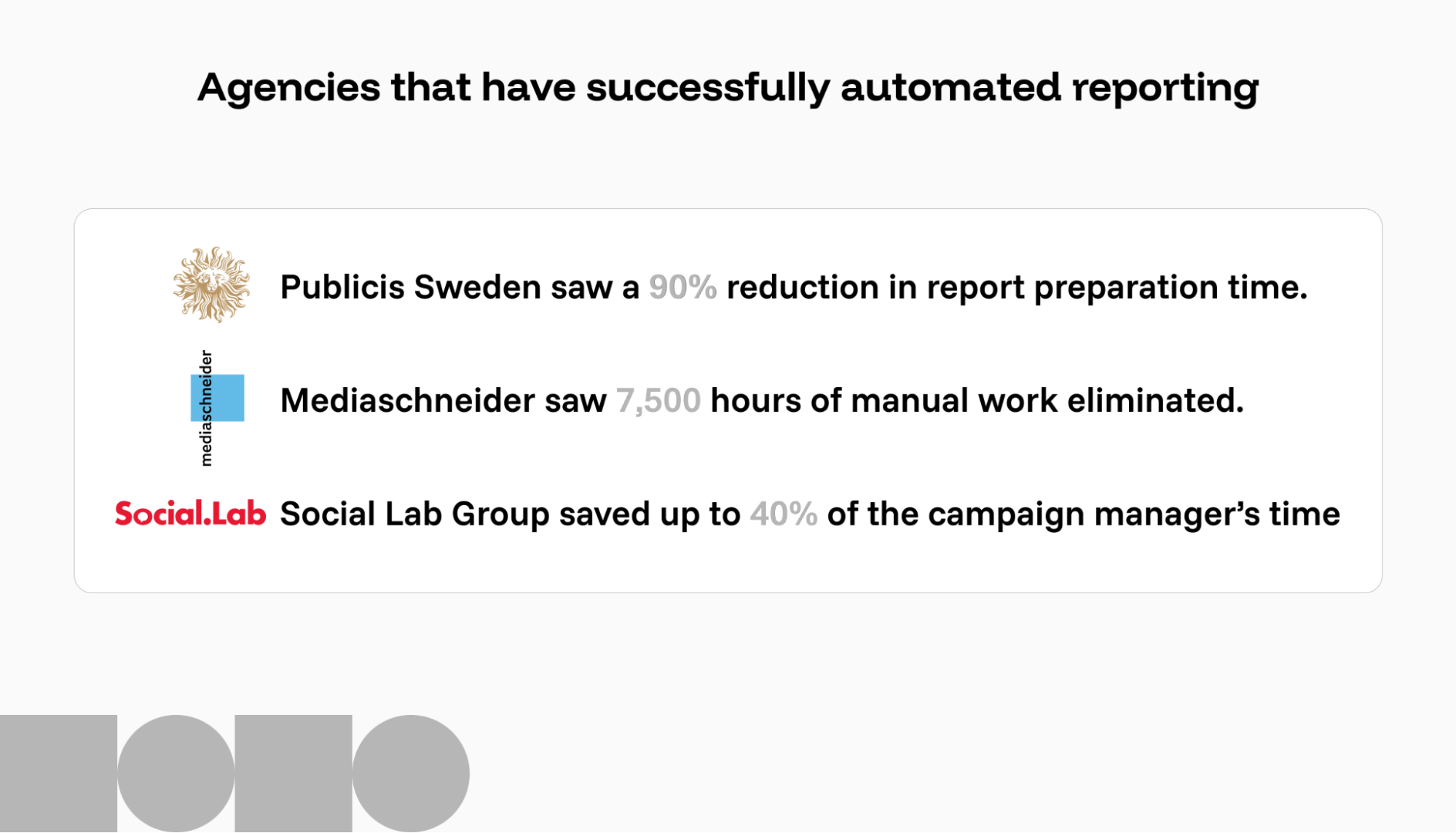
Funnel helped them manage more than 25 unique API connections and create a reporting framework with over 800 custom dimensions and metrics. They saw dramatic improvements. For selected clients, report preparation time dropped by 90%, and standard media dashboards that once took hours now take about 30 minutes to complete.
2. Mediaschneider
Mediaschneider's transformation started with a familiar problem: teams spending thousands of hours creating manual reports. Their initial attempt at a custom-built system kept breaking down due to API changes, so they sought a standardized, automated reporting solution across all clients.
After implementing Funnel, they recovered 7,500 annual professional hours previously lost to troubleshooting broken reports. This newfound bandwidth allows them to redirect resources toward predictive modeling and advanced analytics.
Their clients now have direct dashboard access, which makes them feel that their agency is transparent. These dashboards also help the team maintain consistent reporting quality across all accounts.
3. Social Lab Group
Social Lab Group’s campaign managers were spending 40% of their time on basic reporting tasks while juggling reports across multiple markets and platforms. They needed a centralized data architecture that could integrate with their Amazon-hosted database.
After implementing Funnel with Looker Studio integration, campaign managers recovered 30 to 40% of their time, dramatically improving their ability to serve multi-market clients.
The automated data handling allowed them to offer more complex campaign management and better benchmarking across their global network. This shift helped them build stronger client relationships and showcase their data capabilities in new business pitches.
How AI is changing automated reporting
AI and automation are replacing basic performance reporting, which has been the bread and butter of agency work. But the best tools aren’t just adding “AI summaries” on top of reports. They use AI to make reporting workflows easier to run day-to-day: spotting issues earlier and helping teams explore performance faster.
Funnel AI is designed to facilitate curiosity and discovery as you dig into your data. Data Chat lets you ask questions in plain language and explore your marketing data without rebuilding dashboards or pulling yet another export, which is useful when you’re prepping for a client call, investigating changes or trying to answer follow-up questions on the spot.
AI can help keep the data reliable by flagging inconsistencies, suggesting naming conventions and recommending validation rules, so the numbers you’re reporting on stay consistent as accounts scale.
Build automated reporting that scales and helps you look ahead
The hidden cost of manual client reporting is the weekly scramble chasing missing data and fixing reports right before they're sent.
Agencies that get their automated reporting right can move faster, fix issues earlier, spend more time on analysis and say "yes" to more complex clients.
However, getting it right only happens when reporting is built on a stable data foundation. When your data is collected and standardized in one place, KPI definitions stay consistent across clients and reports don’t break every time a platform updates.
As a result, reporting transforms into an agile process you can trust and creates a client experience that feels professional and forward-thinking.
If your agency is ready for automated reporting, book a demo today.
Frequently asked questions
What are automated reporting tools?
Automated reporting tools pull data from your marketing platforms on a schedule, standardize it and refresh dashboards or reports without manual exports. The goal is consistent reporting with less time spent fixing issues.
Do automated reporting tools replace analysts or account managers?
No. They replace repetitive work like data collection, clean-up and report delivery. Your team is still needed to choose the right KPIs, explain what changed and turn performance into decisions and recommendations.
What should I look for in an automated reporting tool for an agency?
Prioritize data reliability over pretty charts, so look for broad connector coverage, built-in data storage, no-code transformations, governance and a clear way to share reports securely with clients.
Can automated reporting tools handle multi-market reporting?
Yes, but it depends on the type of platform. Marketing data platforms that centralize and standardize data (rather than just visualizing it) are better suited to multi-market reporting because they can handle multi-currency conversion, time zone alignment, consistent naming conventions and attribution settings in a single, governed layer. That way, your dashboards remain comparable across regions without having to rebuild the logic for every market.