






Most marketing teams have more data than ever, yet they've never felt less certain about what channels are driving growth. Your team is likely spending time maintaining a mountain of dashboards that document the past but offer little direction for the future.
The problem is usually structural: a lot of ETL tools on the market are built for generic data plumbing, so they move static, predictable tables from point A to point B. But marketing data is volatile and fragmented. Modern marketing teams need a data infrastructure that understands the messy nature of marketing, won’t break when a channel update occurs and can uncover insights without sending another ticket to the data team.
But selecting the right ETL tool means considering many options. Enterprise solutions, open-source tools and new players each bring something valuable to the table. This guide helps you identify an ETL tool that works for your team.
What are ETL tools?
An ETL tool is software that keeps data moving through your business. It handles the essential work of extracting data, transforming it into the right format and loading it into data warehouses or lakes. The name reflects exactly what it does: “extract, transform, load” (ETL).
Data engineers often manage ETL tools, but they are used across business departments, from product analytics teams to marketing.
Why marketing data often needs more than warehouse-first ETL
If you ask a data engineer to set up a pipeline, they will likely reach for a generic, warehouse-first ETL tool. For most business data, such as payroll, inventory or shipping logs, ETL tools are perfect because they move static, highly structured tables from source to destination. If an employee's salary is $5,000 today, it remains $5,000 in the database until the next pay rise.
But marketing data doesn't play by those rules; it's inherently unstable for two main reasons:
- Your data comes from third-party platforms. Ad platforms frequently update their metrics or rename their data fields without warning. A generic ETL tool can be rigid, so even slight changes to the source data can break the connection.
- The numbers change after they’re reported, also called retroactive updating. Ad platforms often adjust their data days or even weeks after an ad has run. For example, a platform might remove fraudulent clicks or add late-attributed conversions to a campaign that ended ten days ago.
Traditional ETL follows a fixed sequence, which assumes your data needs are known upfront and locks in the structure before reality unfolds. Because marketing data is different, many organizations use a specialized marketing data integration solution to complement their tech stack. The goal isn't to replace the ETL tools that handle the rest of the business data, but to have a data stack that works for marketing data. That might mean using a solution that acts like an ETL for marketing data, and that plays nicely with the rest of your stack.
A marketing intelligence platform can unify data before it hits the warehouse. Also, raw source data is preserved, and historical updates are handled automatically. That ensures the data is analysis-ready and, more importantly, that the marketing team isn’t left waiting for constant pipeline repairs.
Before diving into the best ETL tools for marketing in 2026, what factors should you consider when determining your organization’s needs?
How to evaluate an ETL tool
You want an ETL tool that scales with your business while imposing as few technical limitations as possible. Whether you're looking at traditional ETL solutions or piecing together a combination of tools, consider these key components:
1. Multiple data sources
An ETL tool should handle all your required sources, but the management of those connections is what actually matters if you don’t want to burden IT and engineering. Look for a system that automatically handles API updates and retries.
If a platform’s server drops at midnight, the tool should keep trying until it works, so you don't wake up to missing data. Furthermore, your system should become more efficient through pre-aggregation, which is a process where the tool calculates complex metrics like Unique Users before sending them to your database. Having pre-aggregation prevents math errors that happen when you try to add up "unique" people who might have visited on two different days.
2. Scalability
Your costs shouldn't explode just because the business is growing. However, some ETLs will charge based on data volume. Automatic partitioning can help here.
With partitioning, your data is filed in labeled folders, rather than throwing every single document into one pile. Without partitioning, your system has to search through every piece of data you’ve ever collected to find yesterday's results, which wastes time and makes your bill higher.
3. Data reliability
Clean, normalized data is a must for making confident decisions, but marketing data is inherently messy. For example, marketing platforms frequently update their numbers days or weeks after the ad has run. Because of this, you need consistent deduplication to avoid two separate entries for the same data.
Your data integration solution should give you clean, standardized data to work with, so teams aren’t wasting time on manual fixes and sending request tickets to IT to put data back on track.
4. Usability for the marketing team
An ETL tool is only as good as your team's ability to use the data it produces. If the marketing team cannot adjust a transformation or add a new tracking field without waiting two weeks for a developer, the tool will be a bottleneck.
Code-based ETL tools are like building a car from scratch; they offer total customization but require a dedicated engineer to keep them running. No-code solutions are more like a high-end consumer vehicle; they are ready to drive immediately and can be operated by anyone on the marketing team.
Now that you know what matters when it comes to choosing a data integration solution for marketing, let’s dive into the best ETL tools for 2026.
Top ETL tools at a glance
Choosing the right ETL tool is important to simplify your data workflows and ensure high-quality, actionable insights. The overview below provides a concise look at 18 leading platforms based on their core strengths, technical capabilities and ideal user fit.
|
ETL tool |
Pros |
Best for |
Cons |
|
Funnel |
A managed marketing data foundation that keeps your reporting stable. |
Agencies/marketing teams that need reliable reporting without relying on engineers. |
Less flexible than engineering-first ETL tools for bespoke transformations or unusual sources. |
|
Fivetran |
High-automation connectors and schema management. |
Organizations with small data teams. |
Costs can spike unpredictably based on data volume. |
|
Airbyte |
Open-source flexibility and a massive connector library. |
Engineering teams that require total pipeline control. |
Requires Kubernetes management and active maintenance. |
|
Stitch |
Simple, no-code data movement for cloud warehouses. |
Teams with basic transformation requirements. |
Rigid; lacks sophisticated data cleaning features. |
|
AWS Glue |
Serverless integration within the Amazon ecosystem. |
AWS-heavy organizations with deep technical staff. |
Significant vendor lock-in and complex configuration. |
|
Azure Data Factory |
Native Microsoft integration with a visual designer. |
Azure-heavy organizations. |
Advanced workflows still require custom code. |
|
GCP Dataflow |
Unified streaming and batch processing on GCP. |
Google Cloud users familiar with Apache Beam. |
Steep learning curve for the programming model. |
|
Informatica |
Enterprise-grade governance and legacy support. |
Global IT departments managing complex compliance. |
High complexity; not built for non-technical self-service. |
|
IBM DataStage |
Parallel processing for massive mainframe workloads. |
Large-scale enterprises with heavy on-premise data. |
Massive infrastructure and specialized setup costs. |
|
Talend |
Hybrid platform bridging legacy and cloud data. |
Teams that need unified quality and governance. |
High technical overhead for implementation. |
|
Airflow |
Industry-standard Python-based orchestration. |
Data engineers managing complex pipelines. |
Orchestrates only; requires separate ETL tools to move data. |
|
Dagster |
Software-led development with dbt-native logic. |
Teams prioritizing pipeline testing and debugging. |
High upfront investment in engineering resources. |
|
Prefect |
Python-native orchestration with smart retries. |
Python-heavy dev environments. |
It doesn’t do ETL for you; you still need the tools/scripts underneath, plus infrastructure to run it. |
|
AWS DMS |
High-availability database migration. |
Companies migrating core databases to AWS. |
Strictly for replication; lacks transformation logic. |
|
Oracle GoldenGate |
Real-time replication for Oracle ecosystems. |
Large Oracle-heavy organization |
Limited versatility if your stack is varied. |
|
Debezium |
Specialized Change Data Capture (CDC). |
Teams using Kafka for real-time event streaming. |
Not plug-and-play; requires Kafka expertise. |
|
Meltano |
A developer toolkit for building ETL/ELT pipelines |
Teams that want their data pipelines managed like software. |
Purely engineering-centric approach. |
|
dbt |
Warehouse-native SQL transformations. |
SQL-savvy analysts and data engineers. |
Handles the "T" only; requires separate EL tools. |
Top ETL tools that are accessible to non-technical users
These leading tools excel at core functions (extracting, transforming and loading data), and they also consider the needs of different business teams. They combine ETL capabilities with data storage and visualization for two key advantages: simplified data management and accessibility for non-technical users.
1. Funnel
Funnel is a marketing intelligence platform that includes a data hub. It’s built to handle data from over 600 platforms and automates the collection, normalization and storage process.
The system keeps your raw data intact while letting you transform it — an approach that protects data integrity throughout the pipeline.
The intuitive user interface lets you monitor and adjust transformations while keeping source data accessible. The scheduling system optimizes for data freshness while respecting API rate limits.
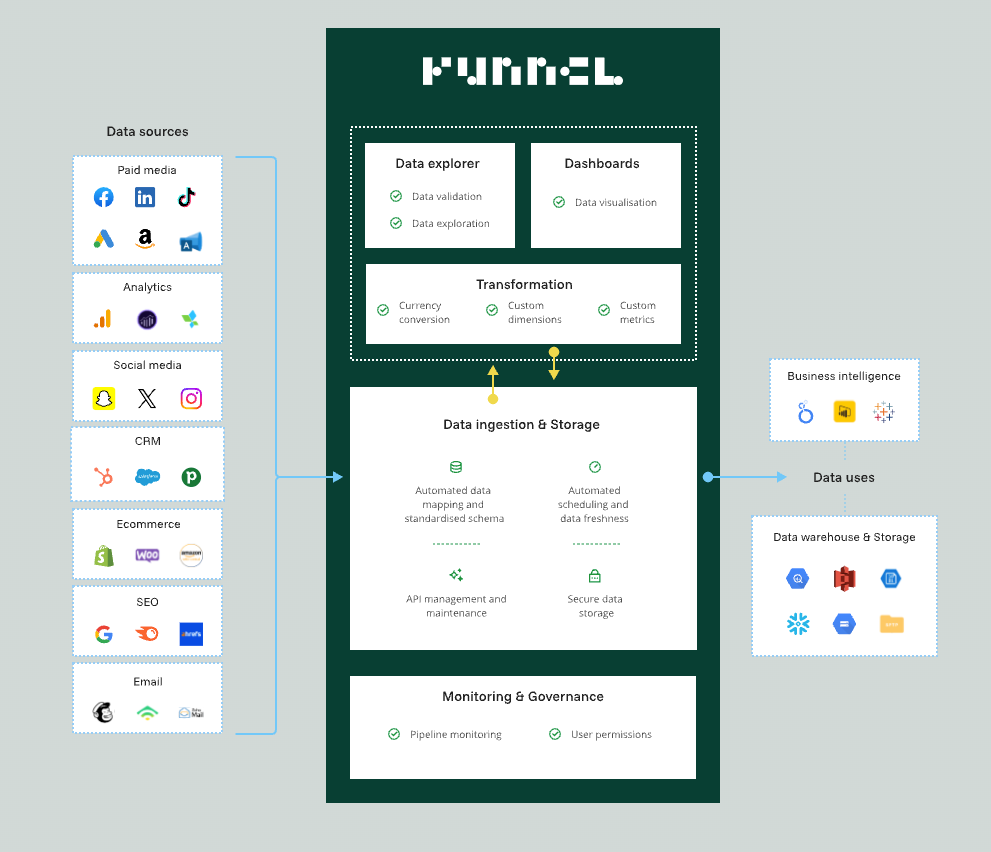
Get all your data in one place, without needing to jump between different tools.
By combining extraction, loading and transformation in one platform, Funnel makes it easy to move marketing data through your pipeline. Since it’s built for non-technical marketing teams, there is less modular flexibility than separate EL and T tools. However, the overall data flow is much simpler.
Pros:
- Pricing is based on the number of data sources, not data volume
- Manage data pipelines without an extra cost
- Built-in data validation and error handling with notifications
- Transformation rules modified without compromising historical data
- Native support for marketing-specific metrics (ROAS, CPM, etc.)
- Detailed permissions to control who accesses data
Cons:
- Limited support for custom data sources outside of marketing
- No direct SQL access to raw data before transformation
- Pre-defined transformation capabilities
- Fixed refresh rates for some data sources cannot be modified
What users say:
According to G2 reviews, users value Funnel for centralizing diverse marketing data sources with automated syncing and consistent field mapping. While praised for its user-friendly interface and stability, some reviewers expressed a desire for more built-in dashboard templates.
Summary:
Funnel is an ideal ETL solution for marketers. Take Babyshop’s marketing team as an example. They gained the ability to independently manage and transform their data across 15 different platforms without SQL knowledge after they started using Funnel. As a result, their data science team could finally focus on valuable analysis like calculating CLV, instead of spending all their time maintaining data pipelines.
2. Fivetran
Fivetran operates as an automated data pipeline solution. It streamlines the ETL process with over 400 pre-built connectors and automatic schema changes.
Its popularity stems from the fact that it follows traditional data engineering paradigms with modern twists like extensive automation and technical flexibility. It also integrates dbt for transformations.
The Fivetran pricing model is optimized for extraction and loading — charging based on monthly data volume and connector usage — which can lead to unpredictable costs that spike with data volume fluctuations.
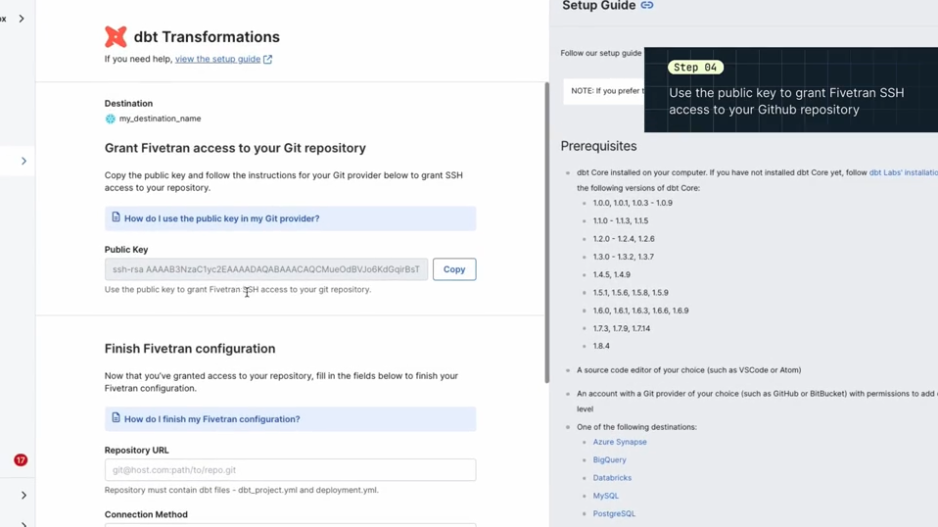
Fivetran's Git data integration tools work with dbt to transform data but require IT setup.
Some Funnel customers have said Fivetran struggles with data cleaning, especially when matching time zones or currencies. Transformations require moving data to a warehouse first, then IT typically takes over. This data integration process can create delays.
Pros:
- Works with dbt to perform transformations and data analysis
- Allows engineers to transform data however they'd like
- Charging based on rows of data moved each month
- Offers some predictable pricing based on connectors and tools
- Great for IT-managed ETL
Cons:
- Difficult to clean data
- Matching across time zones or currencies is a challenge
- Transformations dependent on a data warehouse and IT
- Prices can spike from month to month based on data volumes
- Lack of ownership for non-technical teams
What users say:
Fivetran users praise the tools as a premier "plug-and-play" solution for centralizing data into warehouses like BigQuery. They like its fast setup, extensive connector library and automated schema management. While it’s useful for teams without dedicated data engineers, costs can become out of control as data volume scales.
Summary:
Fivetran does offer prebuilt data models and an easy-to-use interface, making it a worthwhile choice for non-technical users. However, more complex functionality requires technical expertise, so it’s a better option if you have adequate IT resources.
Flexible ETL and ELT tools
Flexible ETL tools automate processes, use cloud computing and connect easily to different data sources, supporting both traditional ETL and newer data integration workflows.
They often automate and handle schemas well, but still split the ETL process into separate data extraction, loading and transformation phases, which is distinctly different from the all-in-one approach a marketing ETL solution like Funnel offers. For instance, users might extract data with Airbyte, transform it with dbt and use Airflow to orchestrate everything. This approach means you need serious technical expertise for maintenance. However, you also have more flexibility and scalability.
3. Airbyte
Airbyte takes an open-source approach to data integration. The platform runs on Kubernetes, which gives you deployment flexibility, but that also means you're managing containers whether you want to or not.
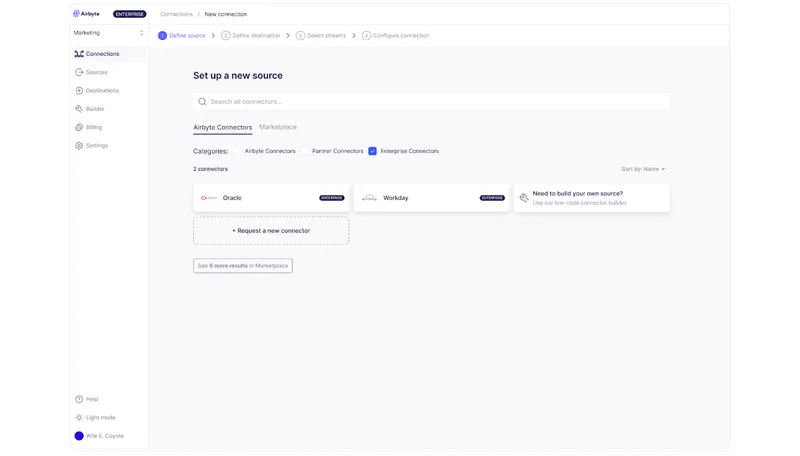
Airbyte offers data management through open-source ETL tools and technology.
You have control over your ETL process with features like automated schema handling and strong security controls. You get the modern stuff you'd expect — it plays nice with tools like dbt and Airflow — but you're still working with traditional data engineering concepts under the hood.
This makes sense if you need to know exactly what's happening with your data, but it's definitely not a plug-and-play solution.
Pros:
- 550+ community-built and enterprise-certified connectors
- Deploy it pretty much anywhere you want
- Governance features with PII masking and role-based access
- Active open-source community that keeps adding connectors
Cons:
- You need serious technical expertise to deploy and maintain it
- The Kubernetes requirement means more operational work
- Self-hosted setups need their own infrastructure management
- Native transformation capabilities are basic
What users say
G2 reviews note Airbyte as a highly flexible, open-core solution that provides excellent data sovereignty through hybrid and on-premise deployment. Users value the capacity-based pricing for allowing marketing experiments without the stress of per-row costs. However, there are issues with the initial set-up complexity.
Summary:
The reality is you're trading simplicity for control. Sure, you get extensive connectivity and governance features, but you're also signing up for managing a Kubernetes deployment and will probably need a dedicated team to keep it running smoothly.
4. Stitch
Stitch takes a no-code approach to ETL and runs as a cloud-native tool within the Talend ecosystem. This gives you automation benefits but also means you're committing to Talend’s data workflows.
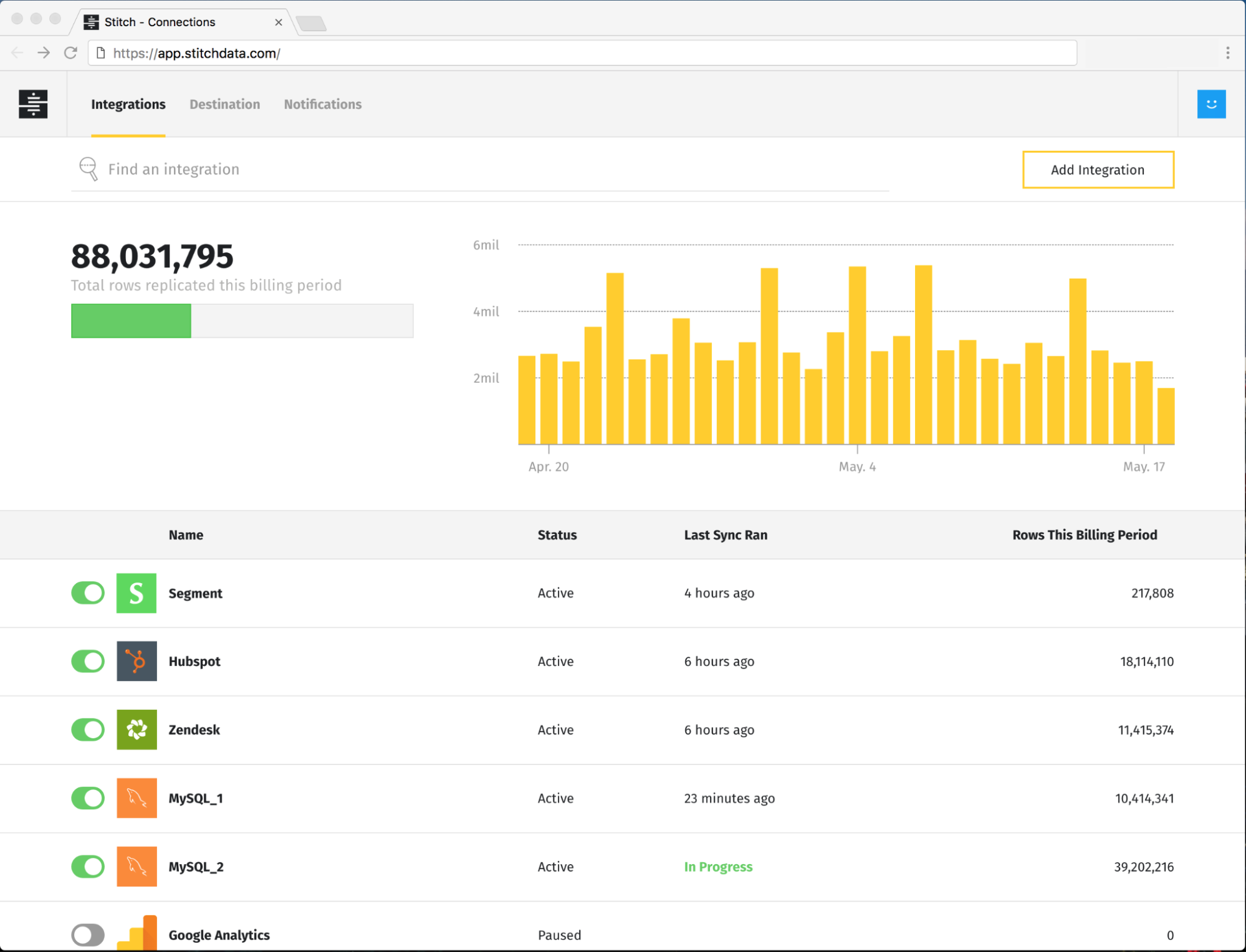
Stitch moves data with automated pipelines within compliance standards.
Stitch handles most of the heavy lifting through automation and self-service tools. You get the modern conveniences you'd expect — 140+ data sources and serious compliance standards — but you're still somewhat limited in what you can actually do with the data.
Stitch makes sense if you want a hands-off approach to data movement, but it's not for teams that need sophisticated transformations.
Pros:
- Pipelines run on autopilot with minimal maintenance
- Built-in compliance covering SOC 2 Type II, HIPAA and GDPR
- 140+ connectors that don't require coding skills
- Solid automation features that reduce ongoing engineering work
Cons:
- Transformation capabilities are basic
- Mostly focused on extract and load, not transform
- Won't cut it if you need complex data transformations
- Separating ELT phases can make some workflows more complex
- Still need technical skills for advanced work
- Really only works with cloud data warehouses
What users say
G2 reviews describe Stitch as a simple, intuitive solution for quickly building data lakes and basic ETL pipelines. Users also appreciate its code-free integration and ability to map NoSQL data into tabular formats automatically. Some point out that the platform has seen little development since its acquisition, leading to stagnant connectors and difficult data backfilling.
Summary:
Stitch will reliably move your data and keep you compliant, but you're ultimately limited in how much you can customize your transformations.
Cloud platform native ETL tools
Some cloud providers like AWS, GCP and Azure offer ETL tools that are deeply woven into their serverless architectures. They’re a natural fit if you're already invested in their ecosystems.
Working with a native ETL tool can optimize costs, but you're essentially signing up for vendor lock-in. Plus, these tools don’t include the features you need for non-technical teams to be able to self-service their data requests.
5. AWS Glue
AWS Glue is a serverless ETL tool that's part of the AWS ecosystem.
It handles both batch and streaming data without requiring you to manage any infrastructure, which is great if you're already invested in AWS.
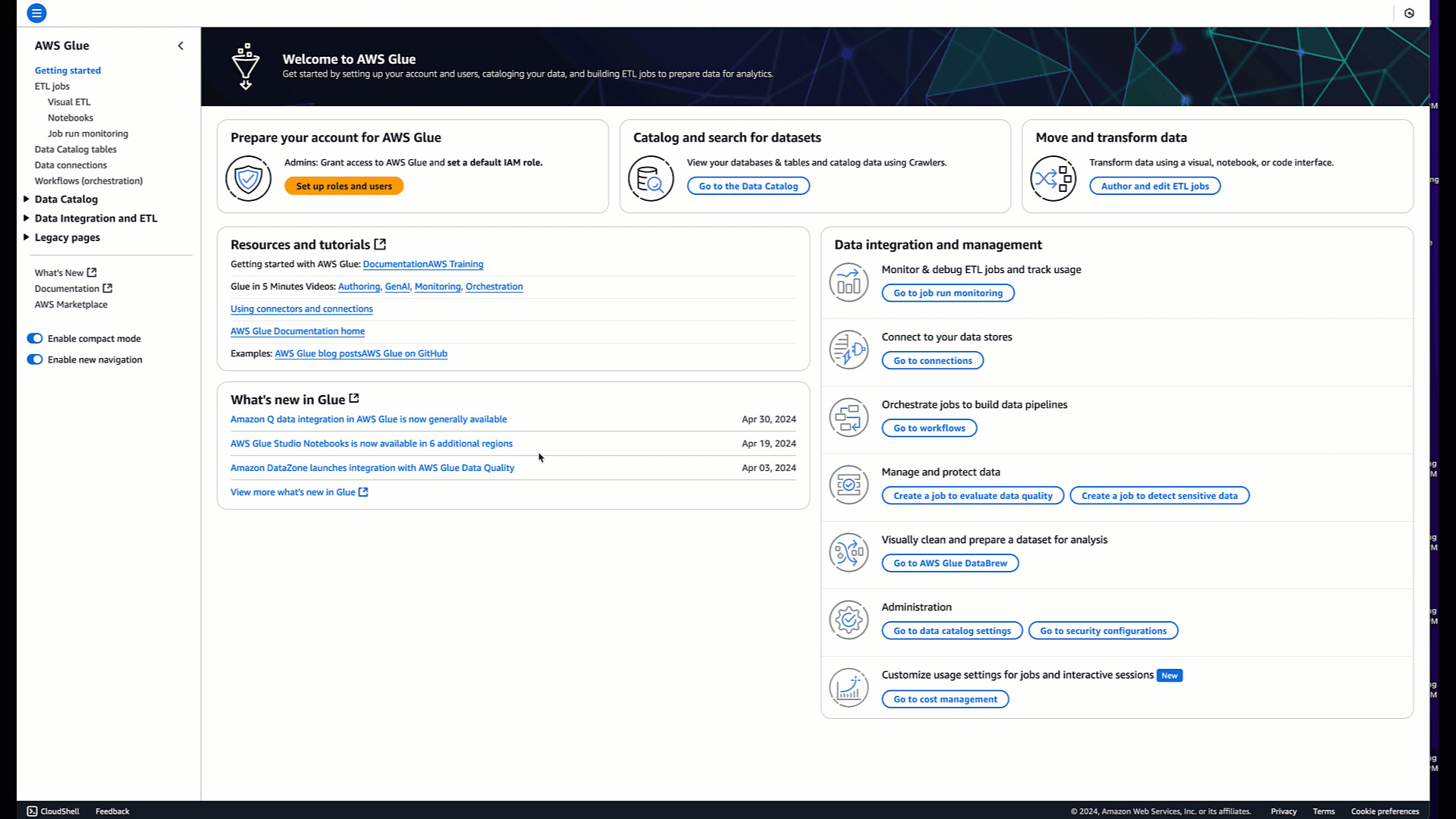
AWS Glue is a cloud-native ETL service that requires deep AWS platform expertise.
Their data integration platform really shines working with other AWS services, like S3 to Redshift and SageMaker. It scales to match your workload and comes with over 100 connectors out of the box.
For teams already running on AWS, it's cost-effective since you're leveraging infrastructure you're already paying for. But there are some real considerations here. You'll need solid AWS expertise to make the most of it, and the configuration can get complex despite the serverless setup.
Pros:
- Zero infrastructure management overhead
- Automated scaling based on workload
- Over 100 pre-built connectors
- Seamless AWS service integration
- Cost-efficient for existing AWS users
Cons:
- Significant AWS vendor lock-in
- Requires deep AWS technical expertise
- Limited transformations
- Complex configuration despite serverless design
What users say:
G2 users generally see AWS Glue as a powerhouse for serverless ETL, as it plays well with other AWS tools like S3 and Redshift. But the consensus is that it’s not user-friendly once you move past the basics. Reviewers mention having to write custom code for simple transformations, and the debugging process can be a headache.
Summary:
The convenience comes with a trade-off — you're going all-in on AWS and the requirement for technical expertise that comes with it.
6. Azure Data Factory
Azure Data Factory is Microsoft's answer to cloud data integration. It's an ETL tool that fits neatly into the broader Azure ecosystem, so you can build data pipelines without managing infrastructure.
It comes with over 90 connectors, and since it's part of the Azure family, it works well with Synapse Analytics. The pay-as-you-go model means you're only paying for what you use, and the serverless setup handles scaling automatically.
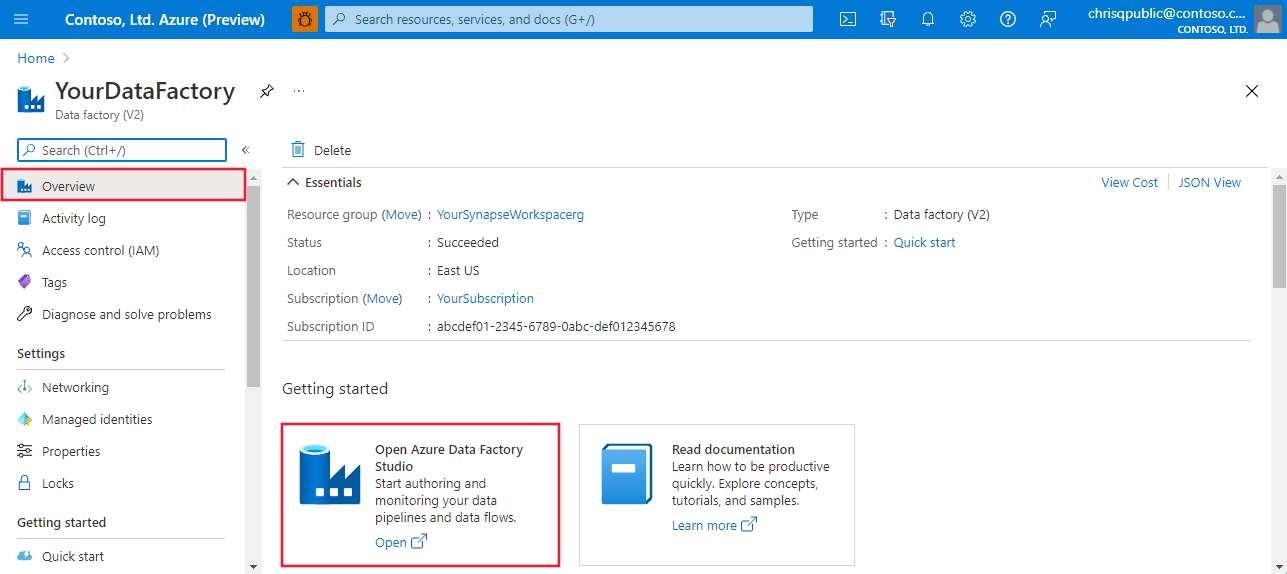
Azure Data Factory's visual interface offers no-code setup.
There are some trade-offs. The visual interface is handy for basic tasks but you'll still need to write custom code for anything complex. You're also tying yourself pretty firmly to the Azure ecosystem, which requires specific technical expertise.
Pros:
- No-code ETL through a visual designer
- Native Azure service integration
- Automatic serverless scaling
- Managed Spark environment
Cons:
- Heavy Azure ecosystem dependence
- Complex tasks require custom code
- Scaling increases complexity
What users say:
Azure Data Factory is a top-tier choice for those already in the Microsoft ecosystem due to its low-code drag-and-drop interface. The tool makes building complex pipelines feel manageable without heavy coding, but some mention that it quickly becomes a needle-in-a-haystack with debugging failures.
Summary:
You get solid ETL capabilities and deep Azure integration, but you're committing to Azure’s platform and the complexity that comes with it.
7. Google Cloud Dataflow
Google Cloud Dataflow is Google Cloud Platform (GCP)'s fully-managed data processing service. Built on Apache Beam, it handles both streaming and batch processing, making it a natural choice for Google Cloud customers.
It works well with other Google products like BigQuery and Vertex AI, with built-in support for machine learning (ML) models like Gemini and Gemma.
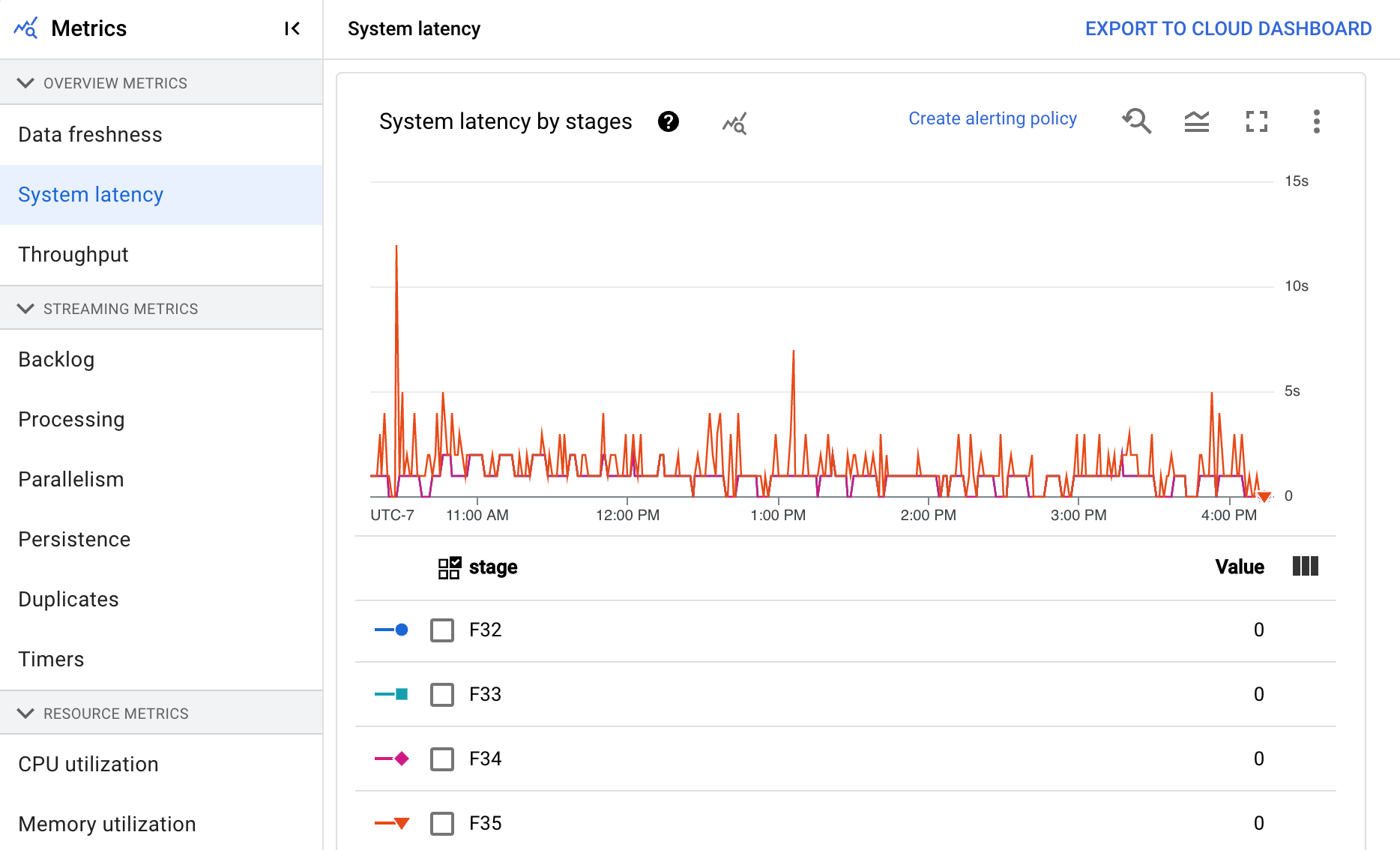
Google Cloud Dataflow offers visual tools and templates.
The trade-offs are similar to those with AWS Glue and Azure. You’re locking yourself into Google as a vendor, and the Apache Beam programming model has a learning curve. Configuring advanced use cases can get tricky.
Pros:
- Real-time and batch processing capabilities
- Deep integration with Google Cloud ML tools
- Serverless auto-scaling architecture
Cons:
- Google Cloud Platform lock-in
- Apache Beam learning curve
- Complex advanced configuration
- Multi-component pricing structure
- Few out-of-box connectors
What users say:
Google Cloud Dataflow is a top ETL solution for massive-scale data processing. The problem is the steep learning curve. Users also warn about the high cost compared to other tools and complain that once a job is triggered, it is difficult to cancel or debug when things go wrong.
Summary:
You need to be comfortable with both Google Cloud and Apache Beam to make the most of this tool.
Enterprise data integration platforms with ETL tools
Enterprise software ETL tools are the traditional heavyweight players in the data integration space, built for large-scale deployments with serious governance and complex transformation capabilities.
They excel at supporting legacy systems and pack comprehensive auditing features, but their emphasis on reliability over agility creates dependencies on technical teams. They were fundamentally designed for IT departments, not for the self-service of non-technical teams.
8. Informatica PowerCenter
Informatica PowerCenter is built for large enterprises that need serious data governance capabilities. It's the kind of platform you turn to when you need to handle complex transformations across both legacy and modern systems, with reliability and security taking precedence over quick wins and self-service features.
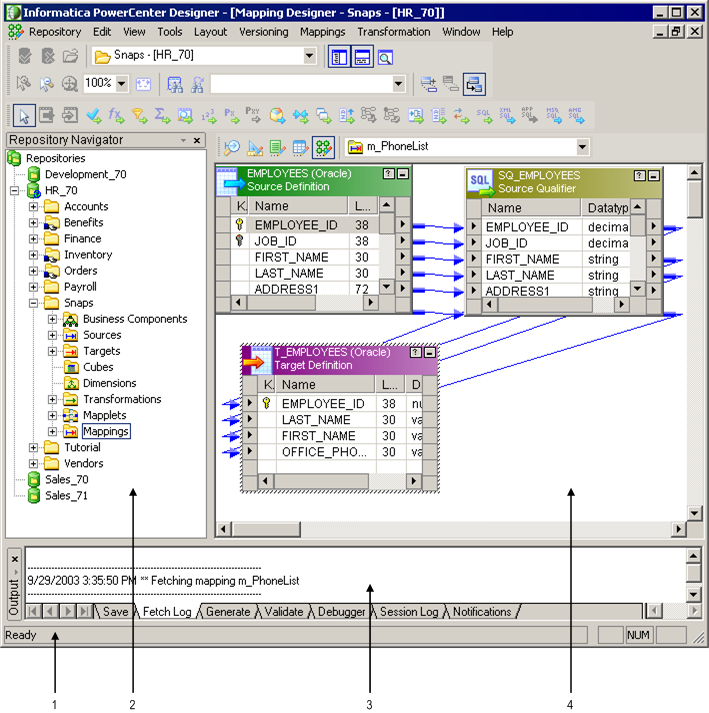
PowerCenter's interface mirrors traditional enterprise ETL architecture.
PowerCenter does compliance across large-scale deployments well. It has comprehensive security controls and auditing capabilities baked in.
However, it creates dependencies on technical teams because it’s so complex. It's not designed for teams who need quick access to normalized data, and the focus on governance and security over agility can slow down development cycles.
Pros:
- Data quality and compliance across large-scale deployments
- Comprehensive security controls and auditing capabilities
- Sophisticated data processing needs and transformations
- Strong support for legacy systems
Cons:
- Not designed for non-technical users
- Prioritizes governance and security over agility
- Requires significant technical expertise to implement and maintain
What users say
PowerCenter is a classic and robust ETL. It has an extensive connector library, and drag-and-drop mapping tools help with complex data transformations. However, some say the platform feels dated and has a clunky UI.
Summary:
PowerCenter falls into the "heavyweight" category and may be overly complex for simpler use cases.
9. IBM DataStage
IBM DataStage stands out for its specialized mainframe integration capabilities and parallel processing engine. It's built to handle heavy enterprise workloads with automated balancing that can speed up processing by 30%.
As part of IBM Cloud Pak for Data, DataStage bridges traditional on-premises and cloud-based ETL. Teams can design jobs once and run them wherever their data lives.
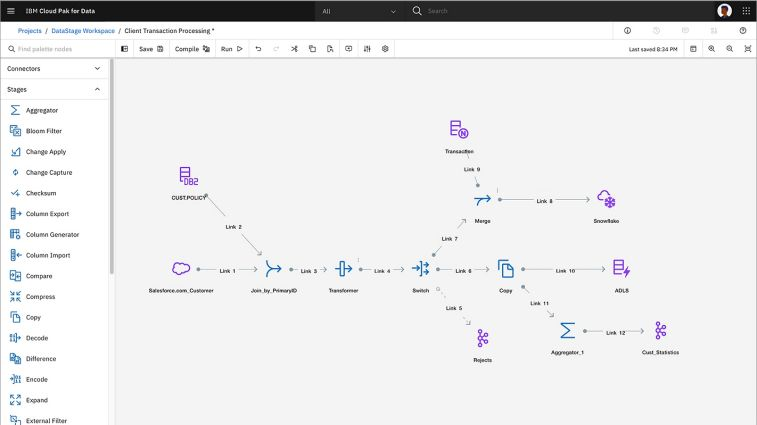
IBM DataStage can visualize your workflow.
DataStage can automate CI/CD pipelines and comes with pre-built connectors for both modern and legacy systems. However, there are some drawbacks.
Pros:
- Automated load balancing
- Governance features through IBM Knowledge Catalog
- Data lineage tracking and metadata management
- Support for both ETL and ELT patterns with SQL pushdown
- Automated CI/CD pipelines
Cons:
- Complex deployment and setup process
- Significant infrastructure investment for on-premises deployment
- Too complicated for smaller-scale data integration needs
- Less agile than modern cloud-native alternatives
- Dependencies on IBM ecosystem
What users say:
People describe IBM DataStage as a high-performance "heavy lifter" that can process massive data volumes (in the terabytes). The cons are that the platform has a steep learning curve and a UI that feels less intuitive than newer options on the market.
Summary:
While IBM DataStage offers a lot of flexibility, the deployment process demands specialized expertise and requires significant infrastructure investment for on-premises deployment.
10. Talend
Talend sits in an interesting spot between old-school enterprise ETL and modern cloud tools. It's essentially a hybrid platform that tries to bridge that gap, combining traditional data integration with newer cloud features through Stitch.
The platform brings together data integration, data quality checks and governance in one package. You get visual tools for building complex transformations, automated pipeline checks and flexible deployment options.
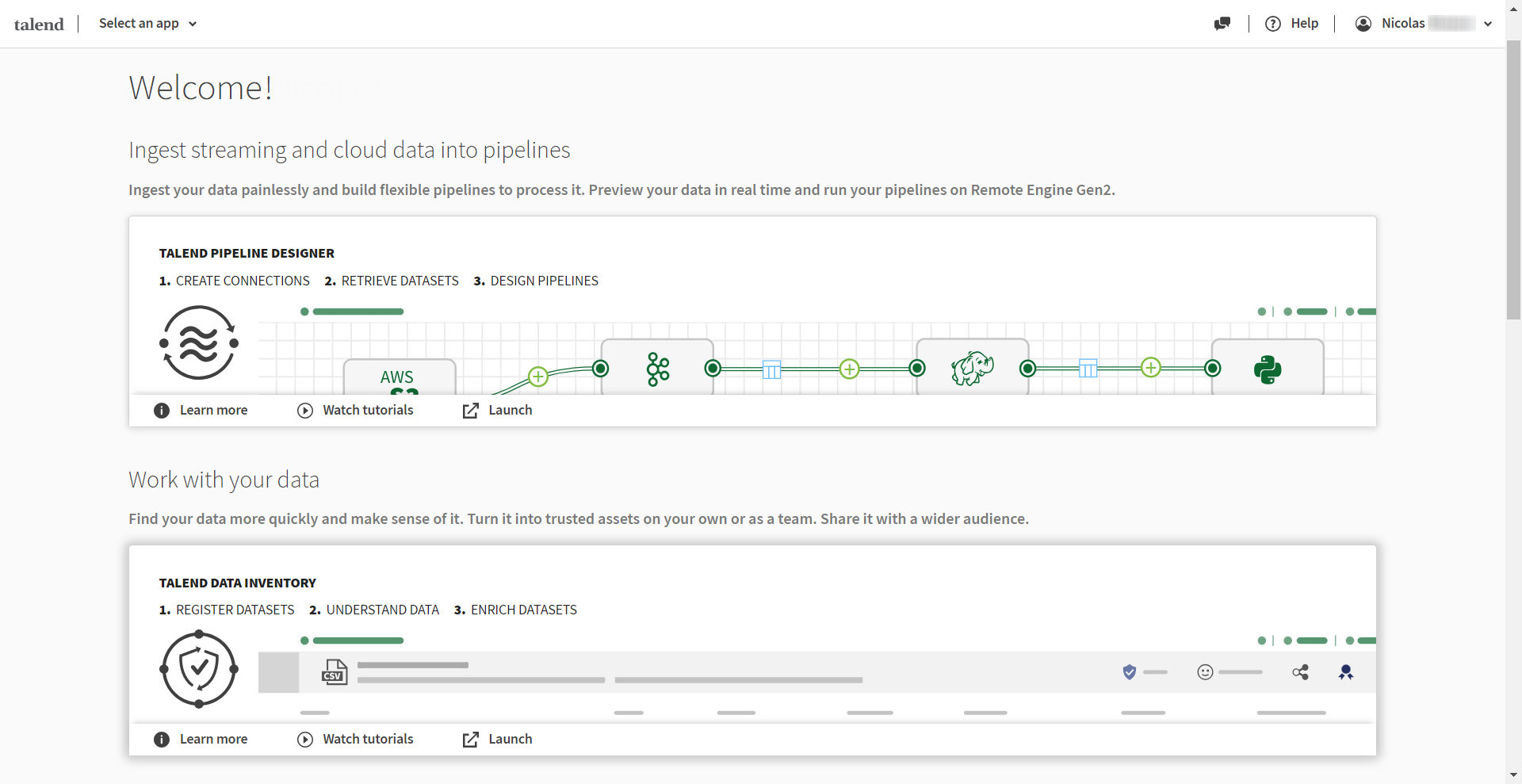
Talend seeks to bridge the gap between legacy and modern ETL tools.
Talend supports both batch and real-time data integration with CDC, but it doesn’t lock you into their ecosystem since it works with Apache Spark and other cloud tech.
Pros:
- Single platform handling integration, quality, and governance
- Complex transformations are more approachable
- Built-in automated pipeline checks
- Flexible deployment across on-prem and cloud
- Real-time data integration with CDC support
Cons:
- Setup and maintenance aren't exactly straightforward
- You'll need technical expertise for advanced features
- Less nimble than pure cloud tools
- Version control can get tricky with the visual interface
What users say:
Talend is viewed as a versatile platform because it balances a user-friendly drag-and-drop UI and the ability to write custom Java code for complex transformations. On the downside, users say that the software is resource-heavy and requires significant memory and CPU to run smoothly.
Summary:
The trade-off here is that you're getting a comprehensive solution with enterprise-grade features, but you're also signing up for more complexity and technical overhead than you'd find in modern cloud-native tools.
Orchestration and workflow ETL tools
Data orchestration tools are great at coordinating data pipelines. But they don't move the data themselves. They’re useful because they give you a clear view of your workflows.
While some take unique approaches to pipeline management, they're basically adding another layer of technical complexity. At the end of the day, you'll still need engineers to keep those workflows running and jump in when things break.
11. Apache Airflow
Apache Airflow is the standard for workflow orchestration. The platform really shines when you're dealing with complex data pipeline dependencies, particularly through Python-based DAGs where engineers can programmatically author and monitor workflows.
While it's technically an orchestration tool rather than a pure ETL solution, it's become a cornerstone in modern data engineering stacks thanks to its operator ecosystem and community support.
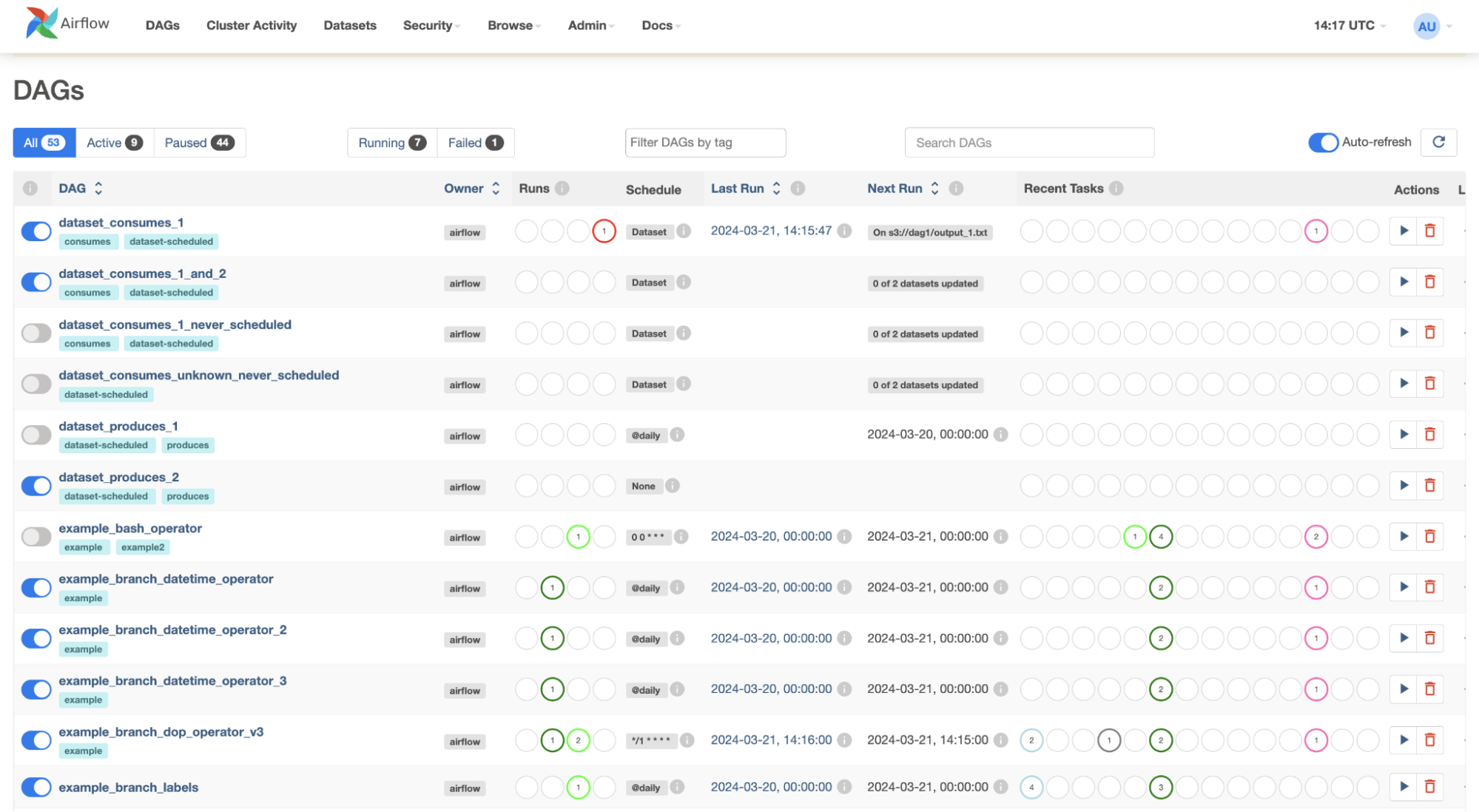
Airflow's DAG visualizes workflow dependencies and execution statuses.
Airflow's architecture is scalable and can handle workflows of any size through message queues. The modern web UI makes monitoring easy, and technical teams can write code to build workflows programmatically. Plus, it plays nice with many other data tools.
However, it adds technical complexity to your stack and demands engineering resources to handle failures. You'll need additional tools for actual transformations.
Pros:
- Message queues for employee workflows
- Dynamic pipeline generation in Python
- Custom code to build workflows programmatically
- Modern web UI for monitoring and managing workflows
Cons:
- Requires engineering resources
- Focuses on orchestration rather than actual data movement
- Need additional tools for data transformation
- Python knowledge is required
What users say:
Apache Airflow offers Python-based flexibility, and the Web UI is good for troubleshooting. But, the general view is that Apache Airflow is notoriously difficult to set up and manage, requiring significant developer knowledge to handle the web server, scheduler and database.
Summary:
It’s worth noting that Python knowledge isn't optional here and that there's a learning curve to Airflow's architecture. For simple data pipelines that don't need complex orchestration, it might be overkill.
12. Dagster
Dagster seeks to bring modern software engineering practices to data pipeline development. It develops, tests and monitors data pipelines through code-first creation and dbt-native orchestration.
The draw is that Dagster treats data assets as first-class citizens, lets teams debug pipelines before deployment and tracks costs for services like Snowflake.
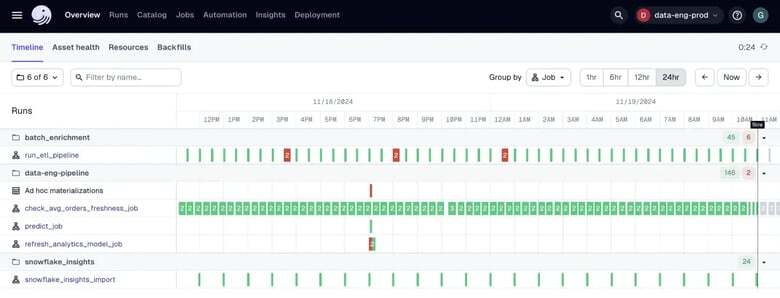
Dagster's UI helps teams quickly identify pipeline health and execution patterns.
Dagster’s main strengths are its branch deployment feature for isolated testing and rich metadata capabilities.
Pros:
- Comprehensive development and testing
- Debug pipelines before deployment
- Rich metadata and observability features
- Native integration with popular tools like dbt, Snowflake and AWS
- Branch deployments feature is used to test in isolation before production
Cons:
- Requires engineering resources to maintain
- Requires significant upfront investment
- Heavy lift to set up proper testing/monitoring
What users say:
G2 users view Dagster as the "modern, sophisticated" successor to traditional orchestrators like Airflow. Reviewers praise its UI and built-in testing framework, which makes local development easier.
Summary:
The trade-off is that Dagster demands engineering resources. The upfront investment in proper testing and monitoring can be substantial, making it a tough sell for smaller teams without dedicated data engineers.
13. Prefect
Prefect brings Python-native workflow orchestration to the table, letting teams run a vital data integration process without rewriting existing code.
The platform differentiates itself through dynamic workflows and smart failure handling, which creates built-in monitoring and retries.
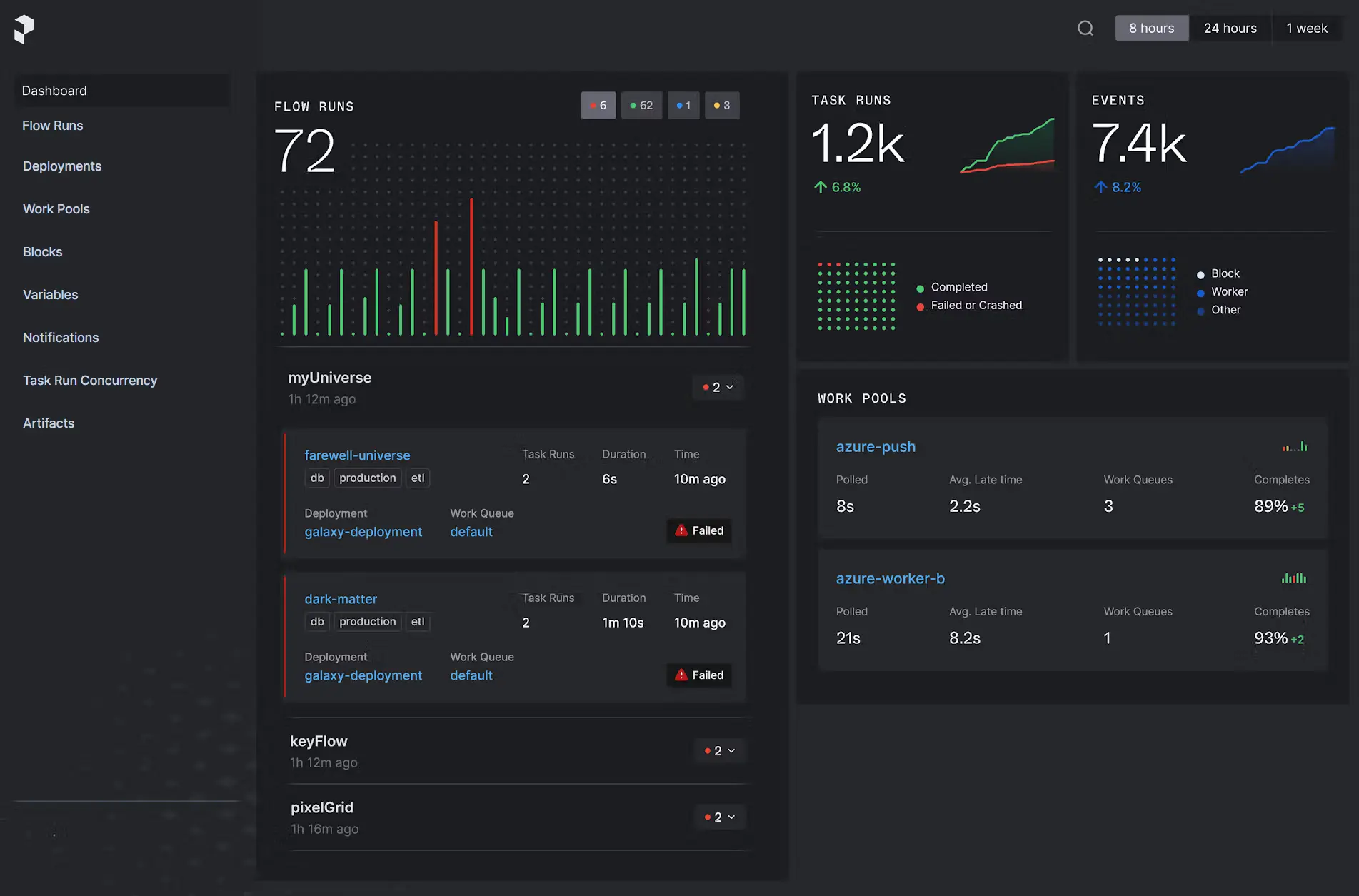
Prefect's UI provides visibility into workflow health and run statistics.
The catch is you're adding another layer to your data stack that needs care. You'll need engineers who can maintain workflows and handle failures while processing data from multiple sources, plus the technical chops to properly utilize its Python-native features.
Pros:
- Enterprise-grade orchestration features
- Monitoring and automated recovery for workflow failures
- Integrates with Python codebases to add observability and retries
- UI to monitor pipeline health and perform ad-hoc runs
Cons:
- Adds another layer of technical complexity to the data stack
- Need engineers to maintain workflows and handle failures
- Focuses primarily on workflow management over data movement
- Need to know Python
What users say:
Prefect is a "developer-friendly" orchestrator that is easy to implement if you already know Python. Reviewers love the "Pythonic" approach, noting that you can turn existing code into a pipeline simply by adding decorators. They dislike the complicated documentation or lack real-world examples for complex setups.
Summary:
Since Prefect focuses on workflow management rather than data movement, teams need to handle the infrastructure piece themselves. The setup time isn't trivial, but the upside is enterprise-grade orchestration that works well with your existing Python codebase.
Database-specific ETL tools
Database ETL tools are built for one job: moving data between specific database engines. They're good at handling the quirks of different databases and can pull off neat tricks like zero-downtime migrations with change data capture.
While they understand the source and target databases, they fall short when it comes to normalizing data or doing any real analysis. This makes them a poor fit if you're looking for a complete ETL solution.
14. AWS Database Migration Service (DMS)
AWS DMS stands out as a specialized powerhouse for moving databases around, whether you're switching between similar systems or transitioning between different database types like Oracle to PostgreSQL.
The platform maintains high availability during migrations, which is important when dealing with mission-critical systems. It works reliably across multiple data centers and has successfully moved millions of databases.
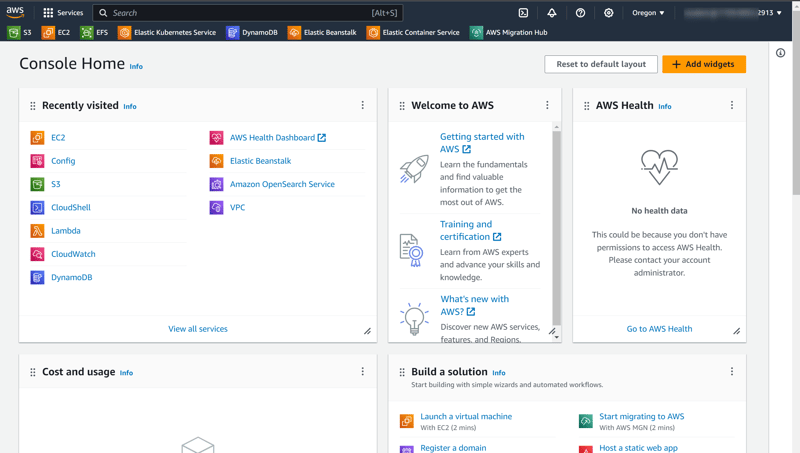
DMS’s dashboard organizes core services for quick navigation and control.
New AI features now automate most database structure conversions, but you'll still need to make some adjustments yourself.
While DMS is cost-effective for large migrations because it only charges for computing and storing data, it's not a complete ETL solution as it does not transform data.
Pros:
- Some schema conversions are automated through generative AI
- Pay-as-you-go model for computing resources and storage
- Integration with AWS ecosystem and data lakes
Cons:
- Strictly focused on database migration and replication
- Missing advanced data transformation capabilities
- Limited to database-to-database operations
What users say:
AWS DMS is an effective tool for moving data with minimal downtime. Users note high pricing for large projects, and the setup becomes messy when you need to sync changes in real time. They also note that AWS DMS occasionally runs into compatibility issues with specific database versions.
Summary:
The platform is focused on database operations, which means you might need additional tools for more comprehensive data pipeline development. You'll also want team members who know both your source and target database systems inside and out to handle the remaining manual schema conversion work.
15. Oracle GoldenGate
Oracle GoldenGate is a real-time data replication platform that's focused on keeping Oracle data integrator and databases in sync across multiple regions. The platform differentiates itself with ZeroETL Mirror, a feature that handles data mirroring without getting bogged down in complex ETL processes.
Its deep integration with Oracle Cloud Infrastructure makes it particularly useful if you use Oracle shops, and the free version can be deployed in a variety of environments.
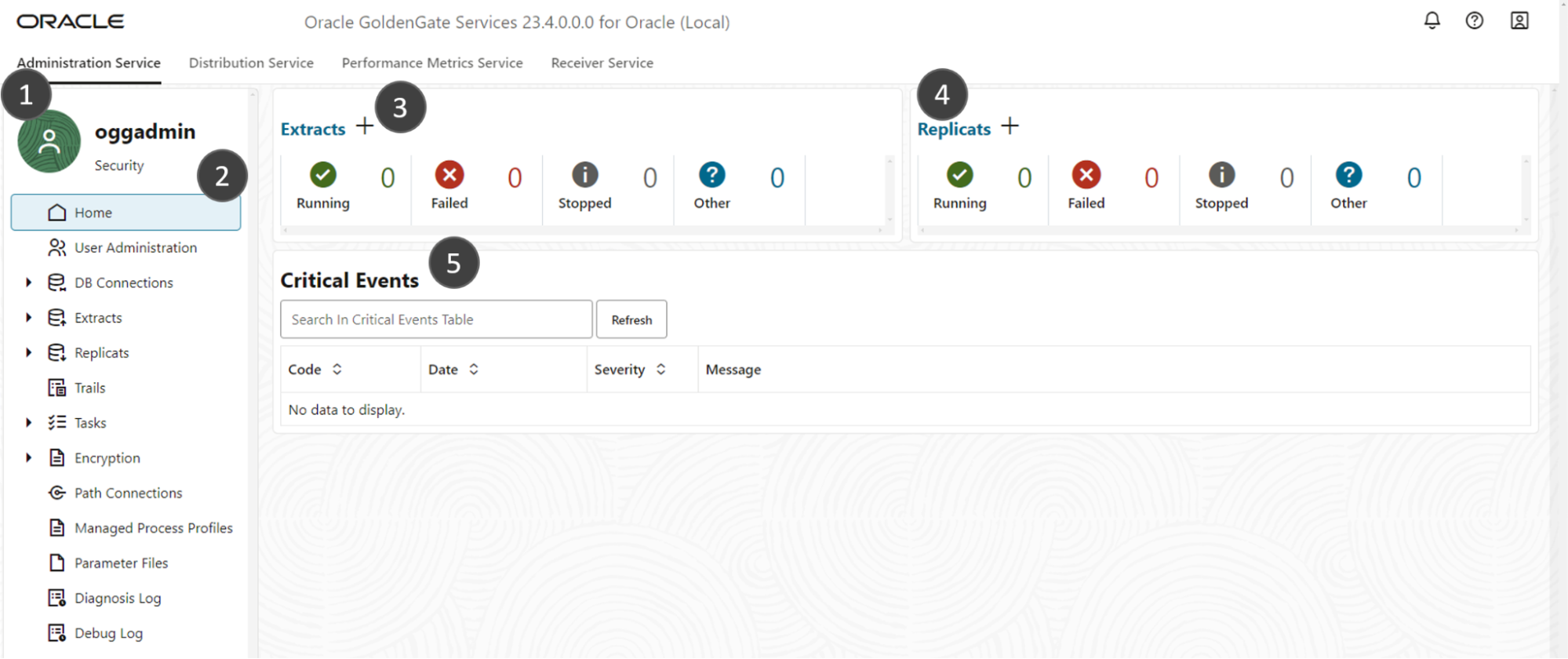
The visual pipeline tools are straightforward, though you'll want Oracle experts on hand for the more advanced features.
Pros:
- ZeroETL Mirror feature
- Support for real-time change data capture (CDC)
- Deep integration with Oracle Cloud Infrastructure OCI
- Free version available (GoldenGate Free 23ai) that can be deployed anywhere
Cons:
- Designed for Oracle database environments
- Less versatile for diverse database ecosystems
- Focused on data replication and movement rather than comprehensive data transformation
- May require significant expertise to fully use advanced features
What users say:
Reviewers describe GoldenGate as strong for real-time data copying. The tool is widely praised for its reliability and its performance within Oracle Cloud (OCI).
Summary:
The tool sticks to its lane of Oracle data replication, which means you'll want to look elsewhere if you need broader database support or hefty data transformations.
16. Debezium
Debezium is an open-source platform that's built specifically for change data capture (CDC). You can track and stream database changes in real time without touching your existing applications.
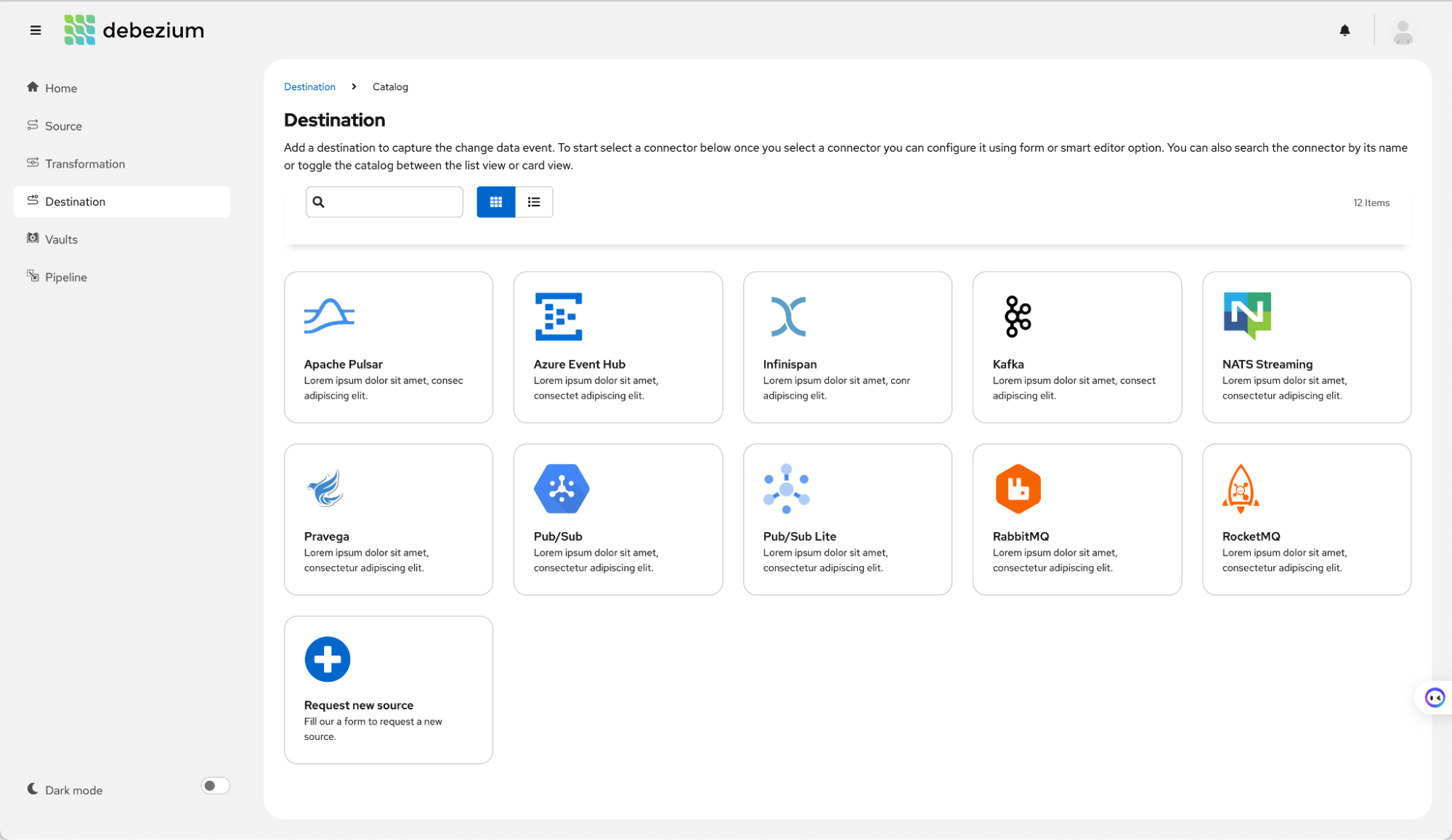
Debezium offers a diverse set of connectors for major data platforms and streaming services.
The platform is built on Apache Kafka, which means it handles large-scale event processing reliably, even when systems go down for maintenance.
Pros:
- Maintains consistent event order even during system hiccups or maintenance
- Uses Apache Kafka for handling serious data volumes
- Keeps running during application maintenance without much downtime
- Works with your existing setup without requiring application changes
- Guarantees event delivery even when things go sideways
Cons:
- Strictly focused on change data capture, not full ETL
- No built-in tools for transforming or normalizing data
- Requires Kafka infrastructure and know-how
- Only handles database events
What users say:
Debezium is the "de facto standard" in the developer community (Reddit, Stack Overflow, GitHub) for real-time data streaming. Developers praise it as a powerful engine that offers true sub-second latency. Once Debezium is running, it’s very reliable, but getting there is a pain point.
Summary:
This tool is great at what it does, tracking database changes, but you'll need more pieces if you're looking for a complete data integration solution.
Notable and emerging tools
The data integration scene has seen some interesting newcomers lately. These emerging favorites challenge traditional ETL patterns with fresh approaches to building and maintaining data pipelines.
They've gained community traction and embrace current software development practices, but still tackle data integration from a technical angle. Sure, they might simplify certain aspects of data work, but they miss the mark if you’re looking to enable technical teams to access their own data.
17. Meltano
Meltano takes a developer-first stance on data integration. It combines the Singer protocol's massive connector ecosystem with modern software development practices.
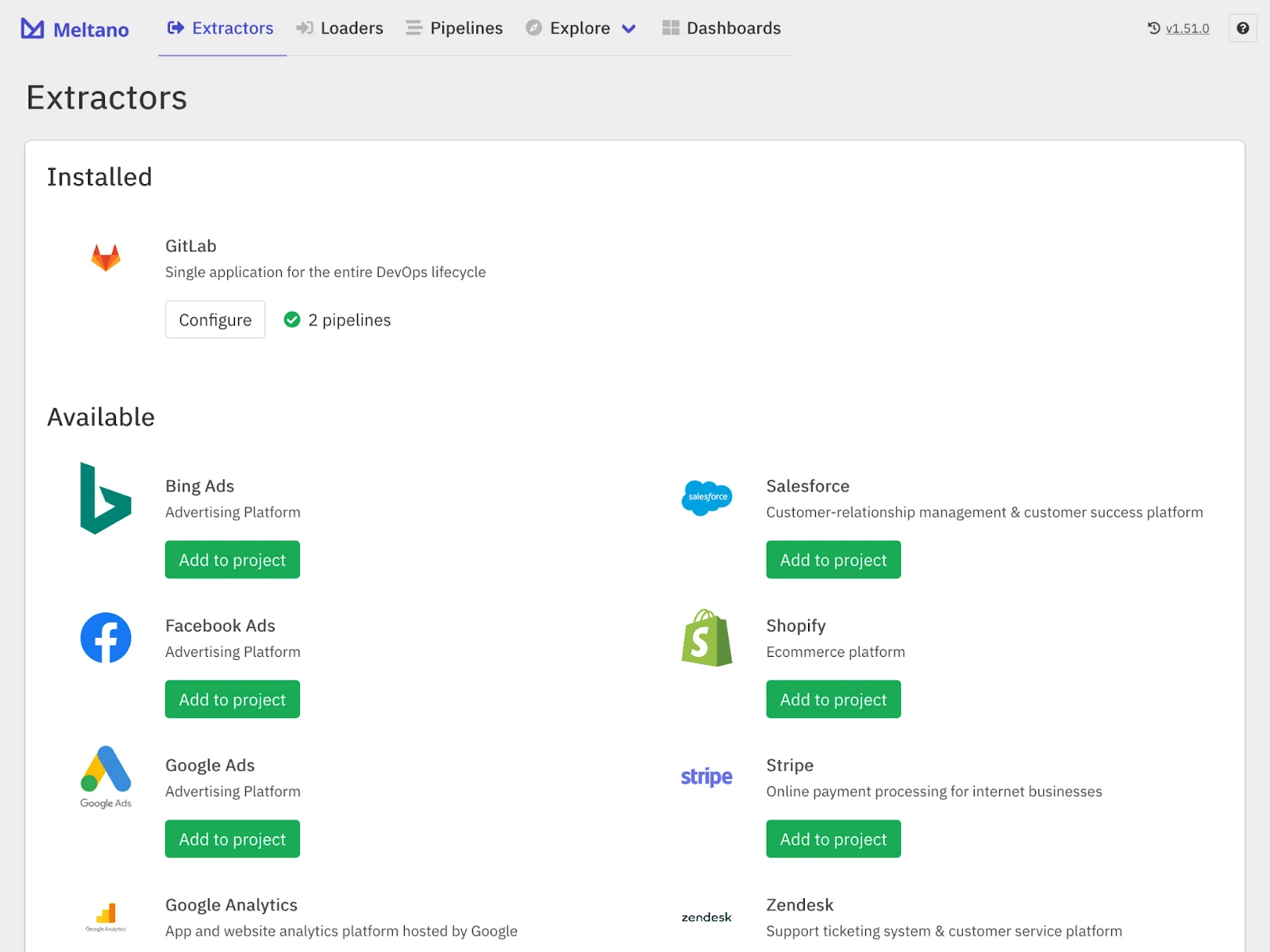
Popular marketing platforms like Google Ads and Salesforce integrate easily via connectors.
Think version control and CI/CD pipelines, but for your data workflows. The platform skips flashy interfaces in favor of engineering-focused tools that prioritize transparency and control.
Pros:
- Control over data pipelines through CLI and version control
- Access to 600+ pre-built connectors via Meltano Hub
- Build or customize connectors with the Meltano SDK
- Testing and debugging with pipeline logs
Cons:
- Engineering-centric approach to data integration
- Not ideal for visual interface fans
- Technical know-how needed for docs and debugging
- Steep learning curve coming from GUI tools
- Documentation struggles to keep up with features
What users say:
Meltano is a well-made open-source tool that brings software engineering best practices (like Git and YAML) to data movement. Some users note that because it is a young and fast-growing project, the documentation can struggle to keep up with new features. It’s also not a full orchestrator, meaning users often have to pair it with something like Airflow or Dagster for complex scheduling.
Summary:
Whether Meltano fits your stack depends on your team's technical expertise and willingness to trade point-and-click simplicity for developer-focused control.
18. dbt
dbt applies software development practices to data analytics by using version-controlled SQL integration services to transform data, rather than traditional ETL methods.
The platform runs on top of modern data warehouses, letting analysts and engineers collaborate using familiar development patterns like testing and documentation.
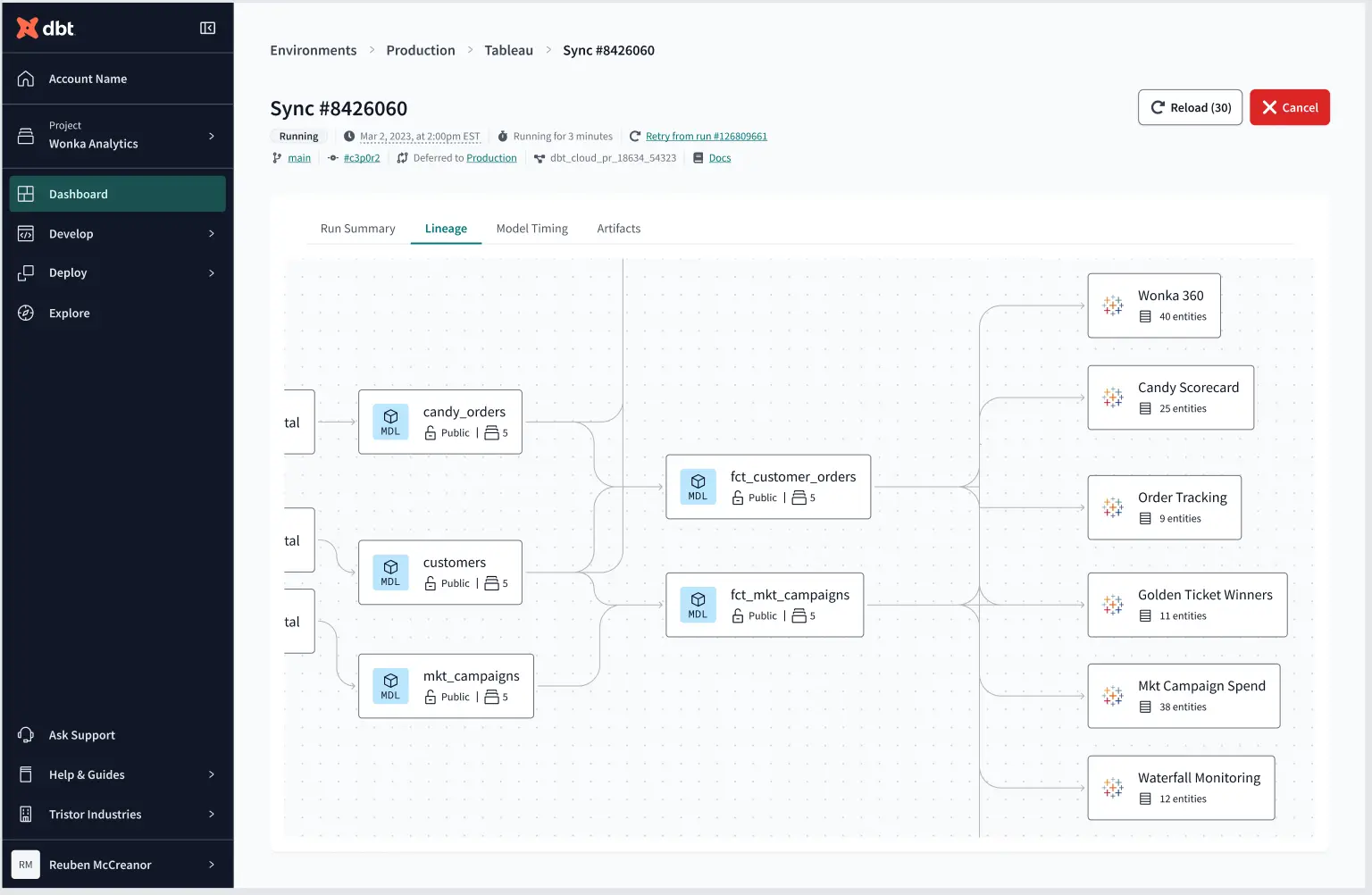
dbt's lineage visualization helps track complex data dependencies across models.
While the tool works seamlessly with platforms like Snowflake and Databricks, teams need existing SQL chops and development know-how to unlock its full potential.
Pros:
- Collaborative workflow for analysts and engineers
- Built-in documentation, testing, and lineage visualization
- Reusable modular transformations through its package ecosystem and dbt Mesh features
- Integrates with modern data platforms like Snowflake, Databricks and BigQuery
Cons:
- Focuses solely on transformation (the "T" in ETL), requiring other tools to load and extract data
- Requires existing knowledge of SQL and software development practices
- Still approaches data integration from a technical rather than business perspective
- Dependent on modern data warehouse infrastructure
- Won't work in legacy environments
What users say:
Reviewers like dbt for bringing features like version control and testing to standard SQL. It is the "go-to" for turning raw data into analytics-ready tables.
Your next ETL tool needs to do more than just move and transform data
The best ETL tools have come a long way since their legacy counterparts. Choosing the right one means looking beyond the basic data extraction, transform and load functionality. Your next solution should automatically handle schemas, process data in real time and intelligently transform it for the better.
Funnel’s architecture preserves raw data, enables flexible transformations and includes built-in validation — all crucial for maintaining reliable data pipelines. The platform also handles marketing data exceptionally well, which means less time spent on custom integrations. For engineering teams focused on building scalable, low-maintenance data infrastructure, these capabilities make it worth a serious look.
See how Funnel can streamline your workflow and complement the rest of your data stack. Book a demo today.
FAQs
What is ETL?
ETL stands for extract, transform and load. It is the process of pulling data from a source, converting it into a predefined format and depositing it into a destination like a data warehouse or dashboard.
How does marketing data integration differ from traditional ETL?
Traditional ETL works well for static data that rarely changes once recorded. However, marketing data is volatile because ad platforms change field names or restate metrics retroactively. A marketing data integration tool automatically handles these lookbacks to update historical data, whereas a traditional ETL pipeline often requires manual engineering work to "backfill" and reconcile those changes.
Do I need engineers to manage these tools?
It depends on the approach. General-purpose, warehouse-first ETL tools are often built for technical users who can write SQL or Python. In contrast, a marketing intelligence platform like Funnel is designed to be no-code, which allows marketing teams to be self-sufficient and supports collaboration between data and marketing.
What pricing model is best for marketing?
Traditional ETLs charge based on data volume, which causes costs to spike unpredictably as you scale. As marketing data is often granular and high-volume, a model based on the number of data sources is more predictable for marketing teams.
What’s best for marketing data?
A marketing intelligence platform is best because it preserves raw data. For example, Funnel complements your existing tech stack by acting as a specialized data foundation that delivers analysis-ready data to your warehouse or BI tool, ensuring the data team isn't stuck fixing broken API connections.